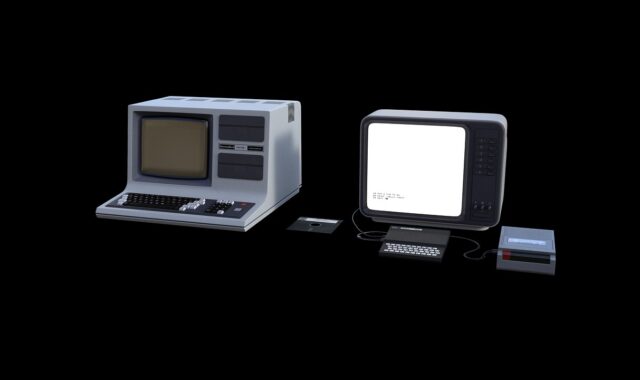
Embedded computer guide for industrial edge systems

What an embedded computer does
An embedded computer is a purpose-built computing platform installed inside a larger machine, cabinet, vehicle, device or edge node. It runs control, monitoring, data acquisition, networking or local analytics tasks in places where a standard office PC is too fragile, too large, too power hungry or too difficult to maintain.
In industrial edge systems, the embedded computer often sits between sensors, PLCs, cameras, drives and cloud software. Its value is not limited to compute speed. A well-specified platform provides stable I/O, predictable boot behavior, rugged mechanical design, workable thermal margins, repeatable integration and a manageable software lifecycle. The right choice depends on the workload, operating environment, lifecycle expectations, security requirements and the cost of field service.

The term covers a broad range of hardware. It can describe a compact fanless box PC mounted near a production line, a computer-on-module on a custom carrier board, a single-board computer inside a medical device, or a ruggedized controller in transportation equipment. What these systems have in common is that the computer is not the final product by itself. It is embedded into a larger function and must keep working within the constraints of that machine or site.
Where embedded computers fit in the hardware stack
Industrial systems usually contain several layers of computing, and each layer has a different job. A microcontroller may read a sensor and run a deterministic control loop. A PLC may coordinate machine logic and safety-related interlocks. A gateway may normalize data from legacy protocols. An embedded computer may run a Linux or Windows application, process images, host an HMI, buffer production data, or perform local inference before sending selected results upstream.
This layered view matters because the embedded computer should not be selected in isolation. If it is expected to replace a PLC, the project must confirm deterministic timing, certified I/O, fail-safe behavior and maintenance practices. If it is expected to replace a cloud service, the project must confirm local storage, model update control, cybersecurity monitoring and remote recovery. In many deployments, the stronger architecture is not replacement but cooperation: PLCs handle real-time control, while embedded computers handle higher-level data, user interfaces, analytics and connectivity.
| Platform | Typical role | Strength | Main limitation |
|---|---|---|---|
| Microcontroller | Sensor reading, motor control, simple device logic | Low power and deterministic behavior | Limited memory, OS features and application flexibility |
| PLC | Machine control and industrial automation logic | Rugged I/O ecosystem and maintenance familiarity | Less suitable for heavy analytics, vision or general software workloads |
| Embedded computer | Edge application, HMI, gateway, vision or local analytics | Balanced compute, I/O, software flexibility and rugged integration | Requires careful OS, security and lifecycle management |
| Industrial PC | Higher-performance control room, cabinet or factory application | PC-class expansion and operating system support | May be larger, higher power or more expensive than compact embedded designs |
Design criteria that matter more than raw CPU speed
Processor selection is important, but it is rarely the only decision that determines success. A fast CPU in a poorly cooled enclosure can throttle, fail early or force an expensive redesign. A low-cost board without long-term availability can create procurement problems before the machine reaches the middle of its service life. A platform with strong benchmark results may still be unsuitable if it lacks the right serial ports, isolated I/O, fieldbus expansion or secure update path.
Workload and latency
Start with the application profile. Data logging, protocol conversion and dashboards may need modest CPU resources but stable storage and network reliability. Vision inspection may need camera interfaces, GPU acceleration or an NPU. Robotics and motion-related applications may need low latency, but standard operating systems are not automatically hard real time. If a task has strict deterministic control requirements, the design should separate real-time control from higher-level computing unless the platform and software stack are validated for that use.
I/O and industrial connectivity
Embedded computers are selected as much for their interfaces as for their processors. Common requirements include Ethernet, USB, serial ports, CAN, GPIO, display output, M.2 expansion, PCIe, cellular, Wi-Fi or fieldbus options. Industrial data exchange also depends on protocol choices. OPC UA is widely referenced for secure and interoperable industrial information exchange, while MQTT is often used for lightweight publish-subscribe messaging. Legacy protocols still appear in brownfield sites, so gateway functions should be planned rather than assumed.
Thermal and mechanical design
Thermal limits define how much performance is actually available in the field. Fanless systems reduce moving parts and dust intake, but they rely on enclosure design, heat sinks, airflow around the installation point and ambient temperature margins. A compact embedded computer mounted in a sealed cabinet beside drives and power supplies faces a different thermal reality than the same board tested on a lab bench. Vibration, shock, ingress protection, connector retention and mounting style also affect long-term reliability.
Lifecycle, supply chain and form factor
Industrial devices may remain deployed for many years, so lifecycle planning can be more valuable than a small unit-cost saving. Projects should confirm processor roadmap, memory availability, storage endurance, operating system support, spare units, firmware maintenance and documentation access. Standardized module families can reduce redesign risk when used correctly. PICMG specifications such as COM Express and COM-HPC are examples of industry form-factor approaches that separate a processor module from a carrier board, allowing designers to reuse I/O and mechanical work across processor generations when electrical and thermal constraints are respected.
Embedded computer vs industrial PC, PLC and edge server
The boundary between an embedded computer and an industrial PC is not fixed. Many suppliers use both terms for rugged x86 or Arm systems, and the difference often comes down to integration style. An industrial PC may look closer to a conventional computer, with expansion slots, a serviceable enclosure and PC-style maintenance. An embedded computer is often smaller, more application-specific, more tightly mounted and more constrained in power, thermals and I/O.
The difference from a PLC is clearer. A PLC is normally selected for deterministic industrial control, robust I/O modules and technician-friendly automation programming. An embedded computer is normally selected for software flexibility, data handling, local visualization, machine vision, database functions, protocol conversion or coordination with IT systems. It may communicate with a PLC, but it should not casually inherit the PLC’s safety or timing responsibilities without engineering validation.
An edge server is usually larger in scope. It may aggregate data from several lines, run containerized workloads, support virtualization or host multiple services for a site. An embedded computer can be an edge node within that architecture. The practical question is not which label sounds more advanced, but where the workload should run, what failure mode is acceptable, and who will maintain the system after installation.
Security and maintainability are design requirements
Connectivity increases the value of embedded computers, but it also expands the risk surface. Public guidance such as NIST SP 800-82 Rev. 3 for operational technology security emphasizes that OT environments include assets such as PLCs, SCADA, distributed control systems and related industrial networks. The ISA/IEC 62443 series is also widely used to frame cybersecurity requirements and processes for industrial automation and control systems. For an embedded computer, these ideas translate into practical design decisions: know the asset, limit network exposure, control remote access, monitor changes, manage credentials and plan recovery.
Security should begin before procurement. A project should ask whether the platform supports secure boot, TPM or equivalent hardware roots of trust, signed firmware, full-disk or data-at-rest protection, least-privilege accounts, patch management and auditable remote updates. It should also ask who owns each update: the silicon vendor, board vendor, operating system maintainer, application team, system integrator or end user. A technically capable device can become a liability if no party is responsible for maintaining it. See also: BUYING GUIDES.
Maintainability is the field-service side of security. Devices need clear version records, backup and restore procedures, replaceable storage policies where appropriate, spare-unit strategy and tested rollback plans. A remote update mechanism is useful only if it can handle interrupted power, failed downloads and compatibility checks. In an industrial environment, downtime may cost more than the hardware, so resilience and recovery deserve the same attention as performance.
A practical selection checklist
Before choosing an embedded computer, teams should translate requirements into measurable constraints. The following checklist helps prevent vague specifications from turning into field problems:
- Workload: Define CPU, memory, storage, graphics and acceleration needs for the actual application, not a generic benchmark.
- Timing: Separate hard real-time control, soft real-time monitoring and non-real-time analytics.
- I/O: List every required port, protocol, expansion slot, isolation need and cable constraint.
- Environment: Confirm temperature range, airflow, dust, vibration, shock, mounting and enclosure limits.
- Power: Check input range, power budget, brownout behavior, ignition control or UPS requirements if relevant.
- Software: Verify operating system support, driver maturity, container needs, update method and application dependencies.
- Security: Require documented boot, authentication, patching, remote access and logging capabilities.
- Lifecycle: Ask for availability horizon, change notification policy, compatible replacements and spare-unit planning.
- Service: Define how technicians will diagnose, replace, reimage and validate the device in the field.
For related hardware architecture coverage, browse the Embedded Systems section.
Common deployment mistakes to avoid
One common mistake is buying for peak compute while underestimating installation conditions. A processor that performs well in open air may not sustain the same performance in a sealed enclosure at elevated ambient temperature. Another mistake is treating a development board as a production platform without checking lifecycle, certification needs, power tolerance, watchdog behavior and recoverability.
A third mistake is ignoring brownfield constraints. Many factories and infrastructure sites contain legacy machines, older PLCs, undocumented cabling and security policies that limit direct cloud connectivity. An embedded computer can bridge these environments, but only if the project maps data ownership, protocol conversion, segmentation and maintenance responsibilities. The computer is not just a box on a DIN rail; it becomes part of the operational process.
Finally, teams sometimes confuse local processing with independence. Edge computing can reduce latency, bandwidth usage and dependence on continuous cloud connections, but it does not remove the need for governance. Models, rules, firmware, certificates and user accounts still change over time. The design should make those changes controlled and reversible.
Frequently asked questions
Is an embedded computer the same as an industrial PC?
Not always. The terms overlap, but an embedded computer is usually more tightly integrated into a device, machine or edge node, while an industrial PC often suggests a rugged PC-style platform used in cabinets, control rooms or factory applications. The real distinction is less about the label and more about size, power, I/O, environmental rating, service model and lifecycle expectations.
When should a project use an embedded computer instead of a PLC?
Use an embedded computer when the main workload involves data processing, local visualization, protocol conversion, machine vision, database interaction, cybersecurity monitoring or application software that needs a general-purpose operating system. Use a PLC when the main requirement is deterministic industrial control with established automation I/O and maintenance practices. Many systems use both.
Does every embedded computer need a GPU or NPU?
No. Acceleration is useful for vision, inference, media processing and some analytics workloads, but it adds cost, heat and software complexity. Data gateways, HMIs and monitoring systems may run well on modest processors. The better approach is to profile the application and include thermal and update constraints in the decision.
Which operating system is common for embedded computers?
Linux and Windows are common in industrial embedded computers, and real-time operating systems or specialized distributions may be used where timing, footprint or certification requirements demand them. The operating system should be chosen together with driver support, security update policy, application framework, recovery method and technician familiarity.
How long should an embedded computer be supported?
The answer depends on the machine or site lifecycle. Industrial projects often need support measured in years rather than consumer-product cycles. Before deployment, buyers should confirm availability, firmware maintenance, operating system updates, component change notices, compatible replacements and a spare-unit plan.