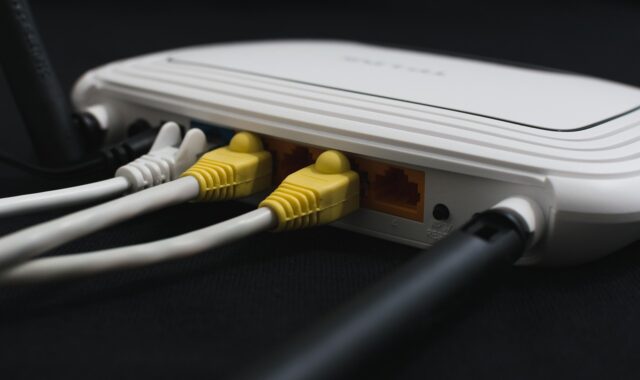
Google Home Wifi guide for Nest routers and smart home setup
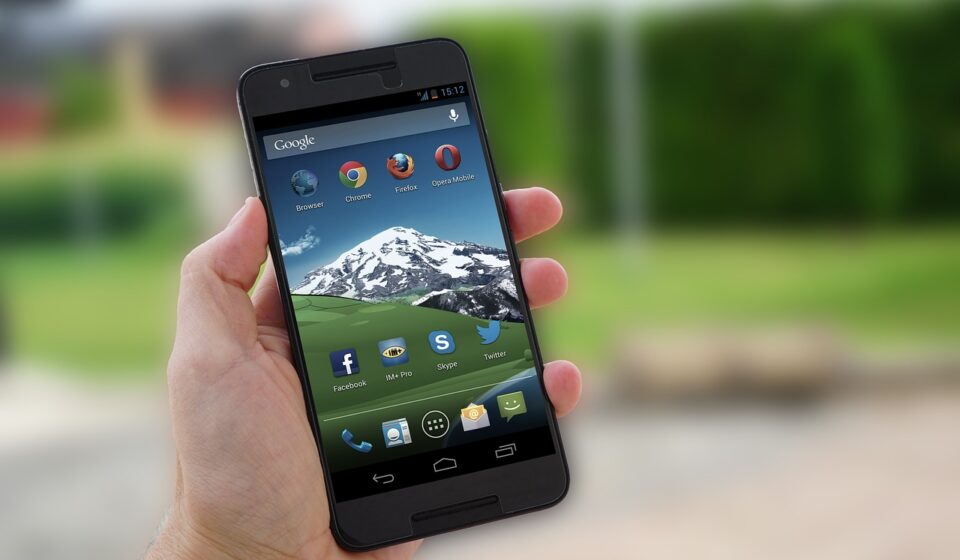
What Google Home Wifi means in 2026
Google Home Wifi is not a separate Wi-Fi standard or a standalone router app. In most searches, the phrase points to two related tasks: managing Google Wifi, Nest Wifi, or Nest Wifi Pro in the Google Home app, and connecting Google Home or Nest smart devices to a home wireless network. The key change is that Google’s older Google Wifi app has been replaced for network management. According to Google’s current support documentation, Wi-Fi changes, new network creation, network expansion, family controls, and most router settings now belong in the Google Home app.
For smart home users, Wi-Fi is no longer just background infrastructure. Router choice affects coverage, device onboarding, guest access, Matter and Thread support, and how easily a household can troubleshoot connection problems.
For more smart hardware coverage, visit the Connectivity section.
Google Home has replaced the old Google Wifi control model
The clearest change for long-time users is app consolidation. Google’s support pages state that the Google Wifi app is no longer available to download and cannot be used to make Wi-Fi network changes. Older networks originally created in the Google Wifi app need to be migrated into Google Home before users can continue changing settings such as device names, member access, speed tests, network expansion, and factory reset actions.
This matters because many people still search for Google Home Wifi when they are really trying to find Google Wifi settings. In most cases, the answer is not another legacy app. It is to open Google Home, select the correct home, and manage the network there. Google also notes that Wi-Fi devices can only be set up in the Google Home app, making it the required route for new Nest Wifi Pro, Nest Wifi, and Google Wifi setup.
The Home app also changes how household access works. In networks set up through Google Home, home members can generally see and control the same home and Wi-Fi settings as the primary user. Google’s support guidance warns that this access should be trusted because members can change the Wi-Fi password, pause devices, toggle access, and add or remove other home members. In practice, Wi-Fi administration becomes part of broader smart home administration.
How setup works with Nest Wifi Pro, Nest Wifi, and Google Wifi
Google’s setup flow is built around a phone or tablet, a Google Account, the Google Home app, a modem or active internet source, power, and an Ethernet connection from the modem to the main router. To add a router or point, users open Google Home, use the add-device flow, scan the QR code or enter the setup code, follow the in-app steps, and run the mesh test after additional points are added.
The first router is the critical device in the setup. It connects to the modem and creates the network. Additional compatible devices then operate as points in the mesh network. Google’s documentation says Nest Wifi devices and Google Wifi points can be added to a network created by a compatible router, but Nest Wifi Pro has a stricter compatibility rule that buyers should check before expanding a system.
| Device family | Managed in Google Home | Current role | Key compatibility note |
|---|---|---|---|
| Google Wifi | Yes | Older mesh Wi-Fi system | Can work with older compatible Google and Nest Wifi networks |
| Nest Wifi | Yes | Older Nest mesh system with router and points | Can work with Google Wifi in supported older-generation mesh networks |
| Nest Wifi Pro | Yes | Wi-Fi 6E mesh router and smart home hub | Cannot be combined in one mesh with Google Wifi or earlier Nest Wifi |
Google’s product comparison pages also state that Google Wifi and Nest Wifi are no longer sold by Google, while Nest Wifi Pro remains the current Google mesh router family shown in the Google Store. Older systems do not stop working simply because they are no longer sold, but anyone expanding an existing network should confirm the generation and compatibility before buying extra units.
Nest Wifi Pro changes the network but not every device gets 6 GHz
Nest Wifi Pro is the most relevant Google router for current smart homes because it supports Wi-Fi 6E. Google lists it as an AXE5400 tri-band system with 2.4 GHz, 5 GHz, and 6 GHz radios, combined speeds up to 5.4 Gbps, up to 2,200 square feet of coverage per router, up to 100 connected devices per point, and two 1 Gbps Ethernet ports per router. Those are manufacturer specifications, not guaranteed real-world speeds or coverage in every home.
The 6 GHz band is the main technical difference from earlier Google Wifi and Nest Wifi generations. Google explains that Nest Wifi Pro uses 6 GHz for its mesh network, while earlier products rely on 5 GHz for mesh connections. Because the older hardware does not support Wi-Fi 6E, Nest Wifi Pro cannot be mixed with older Google Wifi or Nest Wifi routers or points in the same mesh system.
That limitation is easy to miss during an upgrade. A user replacing an older Google Wifi system might assume that adding one Nest Wifi Pro router will modernize the existing mesh. Google’s support pages say otherwise: to extend a Nest Wifi Pro network, users need more Nest Wifi Pro routers as points. Older Google Wifi and Nest Wifi hardware can still expand older-generation networks, but it is not a drop-in extension for Pro.
Wi-Fi 6E also requires compatible client devices to use 6 GHz connections. Older phones, laptops, speakers, cameras, and sensors may still connect normally over 2.4 GHz or 5 GHz, but they will not become 6 GHz devices just because the router supports 6E. For many smart home products, especially battery sensors and small accessories, placement and reliable coverage often matter more than headline peak speed.
Smart home connectivity is the real advantage
The strongest reason to treat Google Home Wifi as a smart hardware topic is not raw internet speed. It is the overlap between Wi-Fi, Thread, Matter, and app-based control. Google lists Nest Wifi Pro as Matter-enabled and as a Thread border router. In practical terms, the router can help connect supported Thread devices to the home network while Google Home manages compatible Matter devices in the same smart home environment.
Matter, maintained by the Connectivity Standards Alliance, is designed to help smart home devices work across major ecosystems using familiar network layers such as Wi-Fi, Ethernet, and Thread. Thread is a low-power mesh networking technology for smart home devices, while a Thread border router links the Thread network to the IP network used by the rest of the home. For users, the benefit is simpler infrastructure: the router is not only distributing internet access but can also help supported smart devices communicate.
This does not remove every setup limitation. Matter support depends on the device, the app, firmware, platform support, and regional availability. A Nest Wifi Pro can be part of the required infrastructure, but it does not make every older Zigbee, Bluetooth, or proprietary accessory automatically Matter-compatible. The safer way to evaluate purchases is to check the accessory’s connectivity label, confirm whether it uses Matter over Wi-Fi or Matter over Thread, and make sure a compatible controller or border router is available. See also: BUYING GUIDES.
Controls and troubleshooting in the Google Home app
Google Home provides network controls that are useful in households with many smart devices. Google’s support material highlights network insights, notifications when a new device joins, guest Wi-Fi sharing, family Wi-Fi controls, device pausing, internet speed checks, and voice commands such as pausing Wi-Fi for a group of devices or showing a guest Wi-Fi password on a smart display.
Those tools matter because connected-home failures are often difficult to diagnose. A camera might drop offline because of weak coverage, a changed password, congested placement, or an account issue. A smart speaker may need to be near the phone during setup. A thermostat or doorbell may have product-specific steps for changing Wi-Fi. Google’s support pages say that after changing router credentials or replacing a router, some Google Nest or Home devices may need to be reconnected, and in some cases factory reset and set up again.
For a smoother migration, many installers use the same network name and password when replacing a router, provided the old credentials were secure. That can help existing devices reconnect automatically, but it is not a substitute for proper security. Google’s learning materials recommend secure wireless encryption, and modern households should avoid outdated or open Wi-Fi configurations. At a minimum, use WPA2 where supported; use WPA3 where the router and devices support it without breaking older equipment.
- For new setups: create the network in Google Home, place points in open areas, and run the mesh test before adding dozens of accessories.
- For upgrades: check whether you are moving from Google Wifi or Nest Wifi to Nest Wifi Pro, because mixed-generation mesh is not supported with Pro.
- For device issues: confirm the phone, router, and smart device are close enough during setup, then check whether the device needs a reset or a Wi-Fi reconnection flow.
- For shared homes: invite only trusted home members because Wi-Fi controls and smart home controls are closely linked.
Where Google Home Wifi may not fit every home
Google’s approach favors simple setup, app-based controls, and smart home integration. It is a good match for users who want a mesh system managed from the same app used for speakers, displays, cameras, lights, and Matter devices. It may be less suitable for users who want deep router configuration, extensive wired networking, or the newest Wi-Fi generation available from specialist networking brands.
The two 1 Gbps Ethernet ports on Nest Wifi Pro are an important practical limit. A household with a multi-gig fiber plan, a large wired switch, network-attached storage, or heavy local file transfers may prefer a router with 2.5 Gbps or faster ports. Wi-Fi 7 routers from other manufacturers may also offer newer features, but that should be weighed against Google Home integration, app simplicity, and whether the household actually owns many Wi-Fi 7 client devices.
There is also a lifecycle consideration. Google’s official comparison material says Google Wifi and Nest Wifi are no longer sold by Google, while support pages still describe management through Google Home. That creates a practical split: existing owners can still manage older networks, but buyers planning a new Google-managed mesh should treat Nest Wifi Pro as the relevant Google option unless Google announces a newer router family.
Frequently asked questions
Is Google Home Wifi the same as Google Wifi?
No. Google Wifi is a hardware mesh router family. Google Home is the app and smart home platform now used to manage Google Wifi, Nest Wifi, and Nest Wifi Pro networks. The phrase Google Home Wifi usually refers to controlling Wi-Fi through Google Home.
Can Nest Wifi Pro work with older Google Wifi points?
Not in the same mesh network. Google’s support documentation states that Nest Wifi Pro is not backward compatible with earlier Nest Wifi or Google Wifi mesh systems. To extend a Nest Wifi Pro system, use additional Nest Wifi Pro routers.
Do I still need the old Google Wifi app?
For normal network management, no. Google says the Google Wifi app is no longer available to download and cannot be used to make changes to Wi-Fi networks. Network changes should be handled in the Google Home app.
Will changing my router break Google Home devices?
It can. If the network name, password, or router changes, some Google Nest or Home devices may need to be reconnected through the app, and some may require a factory reset before setup. Keeping secure credentials consistent during a router replacement can reduce friction.
Is Nest Wifi Pro worth it for Matter and Thread?
It can be a strong fit if you want Google Home app management plus a router that can also serve as a Matter-enabled device and Thread border router. It is less compelling if your priority is advanced router configuration, multi-gig wired ports, or mixing with older Google Wifi hardware.
The bottom line
Google Home Wifi is best understood as app-centered Wi-Fi management for Google’s mesh router ecosystem and connected home devices. The Google Home app is now the required control point, Nest Wifi Pro is the current Google mesh option with Wi-Fi 6E, Matter, and Thread support, and compatibility rules matter more than branding. For a simple smart home, the integration is the advantage. For advanced networking, the limits are worth checking before buying.