Smart home devices in 2026 focus on compatibility, security, and energy control
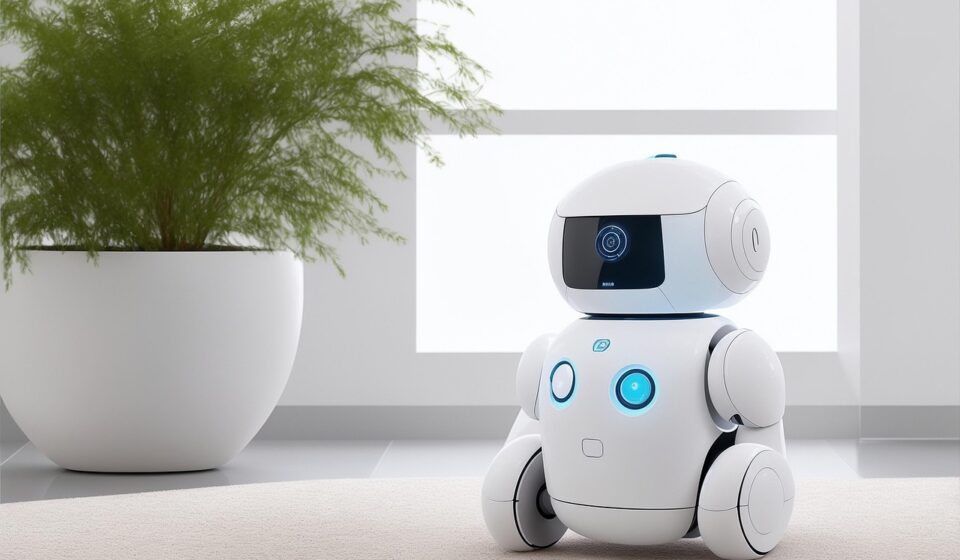
Smart home devices in 2026 are no longer judged by whether a phone can switch on a lamp. The more important questions are whether a device works across major ecosystems, receives security updates, protects household data, and delivers clear value in comfort, safety, or energy use. As of August 2026, the market is being shaped by newer Matter releases, the U.S. Cyber Trust Mark program, and a consumer shift away from novelty toward practical outcomes. For readers following connected hardware trends, the main change is clear: the smart home is becoming less about single devices and more about reliable, secure, interoperable systems. More coverage of connected hardware is available in the SMART DEVICES category.
What changed for smart home devices in 2026
The most visible change is that interoperability has moved from a future promise to a mainstream buying criterion. Matter, the smart home standard developed through the Connectivity Standards Alliance, has continued to expand since its first release in 2022. On June 17, 2026, the Alliance announced Matter 1.6, a release focused less on adding entirely new device categories and more on improving setup, multi-ecosystem sharing, contextual control, and device status reporting.

This matters because many early smart homes became fragmented collections of apps, hubs, bridges, and cloud accounts. A light bulb might work with one voice assistant, a lock with another, and a sensor only through a brand-specific hub. Matter does not remove every limitation, but it gives manufacturers and platform providers a shared application layer for many common smart home devices.
The second change is that security is becoming more visible to consumers. The Federal Communications Commission established the voluntary U.S. Cyber Trust Mark program for connected smart devices in 2024, building on cybersecurity criteria developed by the National Institute of Standards and Technology. The program is intended to help shoppers identify devices that meet defined cybersecurity requirements, with product information available through a QR-code-based registry.
The third change is energy management. Smart thermostats have long been the easiest example, but the category is widening. Matter 1.5, announced on November 20, 2025, added enhanced energy management capabilities, including support for smarter metering, tariff-related data, and EV charging functions. That points toward a home where thermostats, plugs, solar systems, appliances, batteries, and chargers can eventually coordinate around price, comfort, and grid conditions.
Interoperability is becoming the first buying filter
For most households, the best smart home devices are not necessarily the ones with the longest feature list. They are the ones that work with the phone, speaker, display, router, and routines already in use. In practice, buyers need to look beyond the product name and check the connectivity path.
Matter-compatible devices may run over Wi-Fi, Ethernet, or Thread. Wi-Fi is common for powered devices that move more data, such as cameras, displays, appliances, and some plugs. Thread is often better suited to low-power mesh devices such as sensors, buttons, locks, and shades. Bluetooth is still used in setup workflows. Older Zigbee and Z-Wave devices can remain useful when connected through a compatible hub or bridge, but buyers should confirm how much functionality carries into their preferred ecosystem.
| Buying question | Why it matters | Practical takeaway |
|---|---|---|
| Does it support Matter? | Matter can reduce ecosystem lock-in for supported device types. | Check both the Matter logo and the specific device category supported. |
| Does it require a hub or bridge? | Some devices need a brand hub, Thread border router, or existing ecosystem hub. | Confirm the required hardware before buying multiple devices. |
| Which features work across platforms? | A device may pair broadly but keep advanced features in its own app. | Review whether automations, energy data, camera functions, or scenes transfer. |
| Can it work locally? | Local control can improve response times and resilience when internet service fails. | Prefer devices that do not depend entirely on cloud access for basic operation. |
Matter is useful, but it should not be treated as a universal guarantee. A Matter light, plug, lock, sensor, or thermostat may work well across ecosystems, while a camera or appliance may still have feature differences depending on platform support. The safer buying approach is to verify the exact model, not just the brand.
Security is now part of the product value
Every connected camera, lock, speaker, thermostat, appliance, or baby monitor adds another digital entry point into the home. That does not mean smart home devices should be avoided, but it does mean security belongs in the same purchase decision as price, design, and compatibility.
The U.S. Cyber Trust Mark is important because it turns some cybersecurity expectations into a consumer-facing signal. The program is voluntary, so the absence of a mark does not automatically mean a product is unsafe. Its existence still reflects a broader industry shift: buyers are being encouraged to ask how a product is secured, how long it will receive updates, and what happens to data collected by the device, app, or cloud service.
NIST’s consumer IoT guidance treats security as a whole-product issue, not only a hardware issue. That distinction matters because many smart home products rely on several connected components: the device itself, the mobile app, cloud infrastructure, firmware update systems, identity management, and sometimes third-party integrations.
A security checklist for connected devices
- Choose products that support automatic security updates or clearly disclose update periods.
- Change default passwords and use unique account credentials.
- Enable multi-factor authentication when the manufacturer or platform offers it.
- Separate higher-risk devices, such as cameras and unknown IoT products, on a guest or IoT network if the router supports it.
- Review microphone, camera, location, and data-sharing permissions during setup.
- Remove devices from accounts before resale, recycling, or transferring a home to another owner.
Security also affects long-term cost. A very cheap smart device can become expensive if it stops receiving updates quickly, depends on a weak app, or has to be replaced when a cloud service shuts down. For buyers building a system over several years, support policy is part of the real price.
Energy control is the most practical growth area
Energy management gives smart home devices a clearer everyday purpose. A color-changing bulb is convenient; a coordinated energy system can affect comfort, bills, and grid demand. ENERGY STAR states that certified smart thermostats can save the average American household about $50 per year, with higher savings possible in homes with large heating and cooling bills. Those figures are averages, not guarantees, because savings depend on climate, HVAC equipment, utility rates, insulation, occupancy patterns, and how the thermostat is configured.
The next stage is broader than thermostats. Smart plugs with energy monitoring can identify standby loads. Leak sensors can reduce water damage risk. Smart shades can reduce heat gain at certain times of day. Appliances can be scheduled around time-of-use pricing where utilities offer it. EV chargers can become major household loads that benefit from smarter scheduling.
Matter 1.5 is notable because it added more defined ways for devices to communicate energy-related information, including metering, tariff data, and EV charging capabilities. Matter 1.6 then continued the broader work of improving device communication, setup, and coordination. The direction is clear, although the full consumer experience will depend on utility programs, platform support, device certification, and local regulations.
Where energy features are most useful
- Smart thermostats: Useful for scheduling, remote control, occupancy-aware adjustments, and participation in some utility programs.
- Energy-monitoring plugs: Useful for measuring device-level consumption and identifying always-on loads.
- Smart appliances: Useful when scheduling, remote alerts, or energy data are more valuable than novelty features.
- EV chargers: Increasingly relevant as households add large controllable electrical loads.
- Battery and solar integrations: Potentially valuable where platforms can coordinate storage, production, and consumption data.
The limitation is that energy savings require behavior, configuration, and compatible infrastructure. A smart thermostat set to hold the same temperature all day will not create the same savings as one using meaningful schedules or occupancy logic. A smart plug that measures energy is useful only if the household acts on the data. See also: BUYING GUIDES.
Which smart home devices make sense first
The best starting point depends on the problem the household is trying to solve. A renter, a homeowner, a parent, an older adult, and a remote worker may all need different devices. Instead of buying by category hype, it is better to start with a specific goal.
For safety and awareness
Video doorbells, cameras, smart locks, contact sensors, leak detectors, smoke and carbon monoxide alarms, and motion sensors can make the home easier to monitor. In 2026, buyers should pay close attention to privacy controls, local storage options, subscription requirements, and how alerts are handled. Security cameras can be useful, but they also collect sensitive information about household routines, visitors, and private spaces.
For comfort and energy
Smart thermostats, temperature sensors, smart blinds, ceiling fan controllers, and energy-monitoring plugs are practical choices when comfort and utility management are the goal. These devices are strongest when they work together: a thermostat responding to occupancy, blinds reducing afternoon heat, or plugs identifying wasteful standby power.
For convenience and accessibility
Smart lighting, voice control, buttons, presence sensors, and routines can make everyday actions simpler. These are especially useful where hands-free control, nighttime navigation, or accessibility support matters. The value is less about novelty and more about reducing repeated friction.
For a stable foundation
Routers, mesh Wi-Fi systems, Thread border routers, hubs, and bridges are not always exciting purchases, but they often determine whether the rest of the smart home feels reliable. Many device complaints are really network complaints: weak signal, overloaded Wi-Fi, poor placement, or too many cloud-dependent automations.
A practical checklist before buying
Before adding more smart home devices, buyers should answer a few basic questions. This reduces the risk of abandoned devices, duplicate hubs, unreliable automations, and unnecessary subscriptions.
- Define the outcome first. Decide whether the goal is security, comfort, energy savings, accessibility, entertainment, or convenience.
- Check ecosystem support. Confirm compatibility with the household’s preferred platforms, such as Apple Home, Google Home, Amazon Alexa, Samsung SmartThings, or Home Assistant.
- Verify the connectivity standard. Look for Matter where useful, but also check whether the product uses Wi-Fi, Thread, Ethernet, Zigbee, Z-Wave, or a proprietary bridge.
- Read the support policy. Look for update commitments, warranty terms, cloud-service dependencies, and end-of-life practices.
- Calculate the real cost. Include hubs, mounts, batteries, cloud storage, professional installation, replacement parts, and subscriptions.
- Review privacy settings. Turn off unnecessary data sharing, limit permissions, and consider whether cameras or microphones are appropriate for the room.
- Plan for failure. Doors should still open, lights should still switch on, and heating or cooling should still be controllable if the internet is down.
The strongest smart home setups are usually built gradually. Start with a reliable network, add devices that solve clear problems, and expand only after the first layer is stable. That approach is less dramatic than buying a cart full of devices at once, but it usually produces a smarter and more maintainable home.
Frequently asked questions
Are Matter smart home devices always better?
Not always. Matter can improve interoperability, but buyers still need to check device category support, platform support, and feature parity. Some advanced features may remain inside the manufacturer’s own app.
Do smart home devices work without the internet?
Some can perform basic functions locally, while others depend heavily on cloud services. Lights, switches, sensors, and local automations may continue working in a well-designed setup, but remote access, voice assistants, cloud video storage, and some notifications may require internet access.
Are smart home devices safe to use?
They can be safe when chosen and configured carefully. Buyers should prefer products with clear update policies, strong account security, reputable manufacturers, and transparent privacy controls. Devices that never receive updates or require weak default credentials carry higher risk.
Should I replace older Zigbee or Z-Wave devices with Matter devices?
Not necessarily. Many older Zigbee and Z-Wave devices remain useful when connected through a reliable hub or bridge. Replacement makes more sense when a device is unsupported, insecure, unreliable, or unable to participate in the automations the household now needs.
Which smart home device should most people buy first?
For many households, the first purchase should solve a specific pain point: a smart thermostat for better scheduling, a leak sensor for damage prevention, smart lighting for convenience, or a video doorbell for entry awareness. The best first device is the one that delivers daily value without making the system harder to manage.