Kasa smart plug guide for Wi-Fi, Matter, and energy monitoring
What a Kasa smart plug does and who it is for
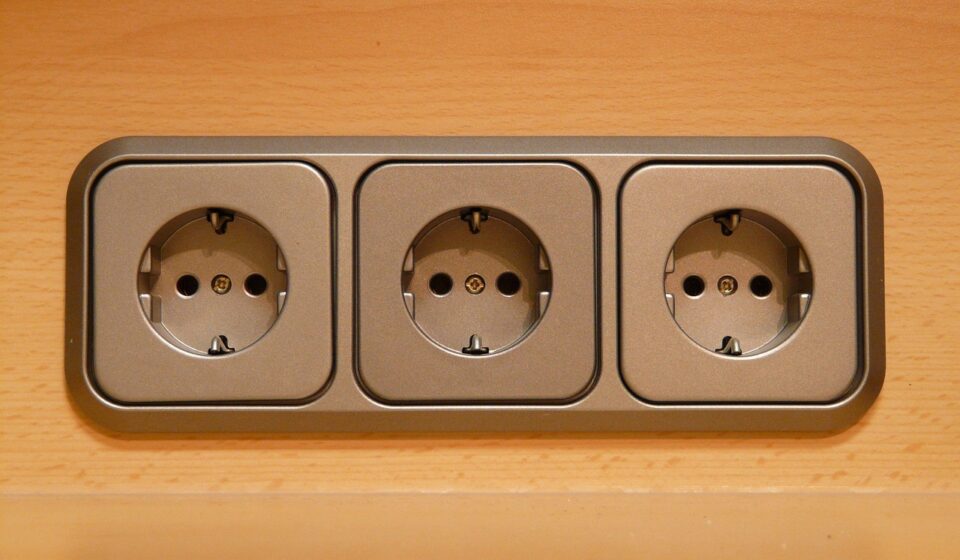
A Kasa smart plug is a compact Wi-Fi outlet adapter from TP-Link’s Kasa Smart line. It lets a basic lamp, fan, holiday light string, dehumidifier, coffee maker, or similar plug-in device be controlled through an app, schedule, timer, automation, or supported voice assistant. The buying decision is usually not whether the plug can switch power on and off; most models can. The more useful question is which Kasa smart plug fits the installation. Basic models are enough for simple schedules. Energy-monitoring models show real-time and historical consumption. Matter-certified models make more sense when a home uses a mix of Apple Home, Google Home, Amazon Alexa, and SmartThings. In every case, the plug still has to match the device’s electrical rating, Wi-Fi conditions, and safety instructions.
Kasa smart plug model choices at a glance
As of September 2026, public TP-Link and Kasa U.S. product information shows that the Kasa smart plug range is not one single product. It includes compact indoor Wi-Fi plugs, energy-monitoring plugs, Matter-certified plugs, outdoor plugs, and multi-outlet power strips. Availability can vary by country, retailer, hardware version, and multipack, so the model number on the box matters more than the product name alone.
| Need | Typical Kasa examples | What to verify before buying |
|---|---|---|
| Simple indoor on/off schedules | HS103, EP10 and similar mini plugs | 2.4 GHz Wi-Fi support, outlet clearance, maximum load rating, and whether you need energy data |
| Energy monitoring in the Kasa app | EP25, KP125, KP125M and similar energy-monitoring models | Whether energy history is available in the app or platform you actually plan to use |
| Matter-based multi-platform control | KP125M for indoor use, EP40M for outdoor use | Presence of a Matter setup code, compatible controller, firmware status, and ecosystem feature support |
| Outdoor lighting and seasonal décor | EP40, EP40M and other outdoor-rated models | Weatherproof rating, operating temperature range, outlet cover placement, and total connected load |
| Several devices in one location | Kasa smart power strips and multi-outlet products | Per-outlet control, total strip load, surge features if needed, and physical cable placement |
A common mistake is buying the cheapest multipack and assuming it includes every feature. A basic Kasa mini plug may be ideal for two bedside lamps, but it may not report power consumption. A Matter plug may suit a mixed-platform household, but it is not automatically the better choice if all routines already run reliably in the Kasa app.
The practical difference between Kasa Wi-Fi, HomeKit, and Matter
Most Kasa smart plugs are Wi-Fi devices designed for a secured 2.4 GHz network. That is convenient because they generally do not require a separate Kasa hub. After setup, users typically control them through the Kasa Smart app, supported voice assistants, schedules, scenes, and integrations. For many households, that covers the main use cases.
Apple HomeKit and Matter are different compatibility layers. Some Kasa plugs have been sold with Apple Home support, while newer Matter-certified models use a Matter setup code to join supported ecosystems. Matter’s main appeal is cross-platform control: the same plug can be easier to manage in a home where one person uses Apple Home, another uses Google Home, and another uses Alexa or SmartThings.
That benefit has limits. The Connectivity Standards Alliance’s Matter documentation describes Matter as a local interoperability standard, but remote control outside the home can still depend on having the right controller, hub, smart speaker, or platform bridge. A Matter connection may also expose basic switch control before it exposes every vendor-specific feature. If detailed energy charts, device grouping, or a specific automation behavior is essential, check whether it works in your preferred app rather than assuming the Matter logo guarantees feature parity.
When Matter is worth paying for
- You want a plug that can fit more easily into several major smart-home platforms.
- You are building a new setup and do not want every device tied to one vendor app.
- You use Apple Home and want a Kasa option that is not limited to older HomeKit-specific packaging.
- You expect to share control with family members who use different phones or assistants.
When a standard Kasa Wi-Fi plug may be enough
- You only need app-based schedules for lamps, fans, or holiday lights.
- Your existing Kasa routines are stable and you do not need multi-ecosystem control.
- You want the lowest cost per outlet for simple indoor automation.
Energy monitoring is useful, but know its limits
Energy monitoring turns a smart plug from a remote switch into a small measurement tool. On Kasa models that support it, the app can show real-time and historical consumption for the connected device. That can answer practical questions: how much power a desk setup draws overnight, how often a dehumidifier cycles, or which older appliance might benefit from a smarter schedule.
For buyers comparing smart hardware, the key distinction is visibility versus billing accuracy. Kasa energy monitoring is useful for household decisions, but it should not be treated as a utility-grade meter or a substitute for an electrician’s assessment. It is best used to compare devices, identify standby loads, and refine schedules.
There is also an ecosystem issue. Energy data may be richer in the Kasa app than in a third-party platform. Matter has added more standardized support for energy reporting over time, including specification work around electrical power and energy measurement, but product firmware and platform implementation still determine what the user sees. In practical terms, buy an energy-monitoring Kasa smart plug because its own product page says it monitors energy, not because every smart-home app will display the same charts.
Setup checklist before you buy or install
- Check the appliance label first. Compare the connected device’s wattage, amperage, and usage type with the plug’s printed rating. Many U.S. Kasa indoor smart plugs list 15 A ratings, but ratings differ by model and load type.
- Use the right Wi-Fi band. Kasa smart plugs commonly specify 2.4 GHz Wi-Fi. If your router uses one combined network name for 2.4 GHz and 5 GHz, setup may work normally, but troubleshooting is easier when you can confirm the phone and plug are close to a strong 2.4 GHz signal.
- Decide the main control app. If you want Kasa energy charts, set up and test the Kasa app. If you want cross-platform routines, confirm your Matter controller or smart-home hub is ready before installing several plugs.
- Think about outlet shape. Compact plugs are designed to avoid blocking the second outlet, but large wall plates, sideways outlets, GFCI covers, and furniture placement can still interfere.
- Choose indoor or outdoor hardware. Do not place an indoor plug outdoors, even under a porch, unless the product documentation specifically supports that environment. Outdoor Kasa plugs use different housings and weatherproofing assumptions.
- Update firmware after setup. Firmware updates can improve stability, security, and Matter behavior. For Matter devices, also keep the phone app and smart-home controller updated.
- Name devices clearly. “Living room lamp left” is better than “Plug 3.” Clear names reduce voice-control errors and make automation rules easier to review later.
For more connected-home explainers and device coverage, visit our smart devices section.
Best uses and limits buyers often miss
A Kasa smart plug works best when the connected device behaves predictably after power is restored. A lamp with a physical on/off switch is a strong candidate because cutting and restoring outlet power produces the expected result. Many fans, light strings, small pumps, and simple appliances behave in a similar way. Devices with touch panels, digital modes, or built-in safety cycles may not resume the intended state after the plug switches power back on. See also: BUYING GUIDES.
Useful routines include turning lamps on at sunset, shutting off decorative lights after midnight, limiting standby draw from a media corner, cycling a fan during work hours, and making an outdoor light schedule more consistent. Away mode, where supported, can vary lamp timing to make a home look occupied, but it should be viewed as a convenience feature rather than a full security system.
The most important limitation is electrical safety. A smart plug is not a circuit breaker, a ground-fault interrupter, or a way to make a risky appliance safe. Do not exceed the printed rating. Be cautious with heaters, irons, cooking appliances, and motor loads. U.S. consumer safety agencies and fire-safety organizations commonly advise that portable space heaters be plugged directly into a wall outlet, kept away from combustible materials, and not left running unattended. If an appliance manual warns against adapters, timers, extension devices, or unattended operation, a smart plug should not be used to bypass that warning.
Network reliability also matters. Each Wi-Fi plug becomes another connected device on the 2.4 GHz band. A few plugs rarely create a problem on a modern router, but a dense smart home with cameras, sensors, bulbs, speakers, and many plugs may expose weak coverage or router capacity limits. If automations fail intermittently, check Wi-Fi signal strength, router placement, firmware, and the number of connected clients before blaming the plug alone.
Frequently asked questions
Does a Kasa smart plug need a hub?
Most Kasa Wi-Fi smart plugs connect directly to a 2.4 GHz Wi-Fi network and do not need a separate Kasa hub. Matter-based control may require a compatible smart-home controller or hub for remote access, advanced automation, or management outside the local network.
Does a Kasa smart plug work with 5 GHz Wi-Fi?
Kasa smart plugs commonly specify 2.4 GHz Wi-Fi for the plug connection. After setup, your phone or voice assistant may be on a broader home network, but the plug itself should be installed where 2.4 GHz coverage is stable.
Which Kasa smart plug has energy monitoring?
Examples of Kasa energy-monitoring plugs include EP25, KP125, and KP125M, but model names and multipacks can change by region and hardware version. Look for “Energy Monitoring” on the product page or packaging before buying.
Is a Matter Kasa smart plug better than a regular Kasa plug?
It is better for some homes, not all homes. Choose Matter if you want stronger multi-platform flexibility across Apple Home, Google Home, Amazon Alexa, or SmartThings. Choose a regular Kasa Wi-Fi plug if you only need affordable app schedules and your current Kasa setup already works well.
Can I use a Kasa smart plug outside?
Only use an outdoor-rated Kasa model outdoors. Outdoor plugs such as EP40M are designed for weather exposure in ways indoor mini plugs are not. Even then, follow placement, cover, temperature, and load guidance from the product documentation.