How to evaluate smart devices for compatibility, privacy and long-term support

Smart devices are becoming long-term infrastructure
Smart devices are connected products that combine sensors, software, connectivity and automation to respond to data from people, homes, vehicles or workplaces. The useful question is no longer just whether a device connects to an app. It is whether that device can work reliably with other systems, receive security updates, limit unnecessary data collection and remain useful after the first setup.
Taken together, public guidance from NIST, the FTC, the FCC, the Connectivity Standards Alliance and ENERGY STAR shows a clear shift: connected products are moving from novelty gadgets toward managed infrastructure. For readers following the broader Smart Devices category, the practical takeaway is straightforward. Evaluate the ecosystem, not only the hardware.
What makes a device smart in a practical sense
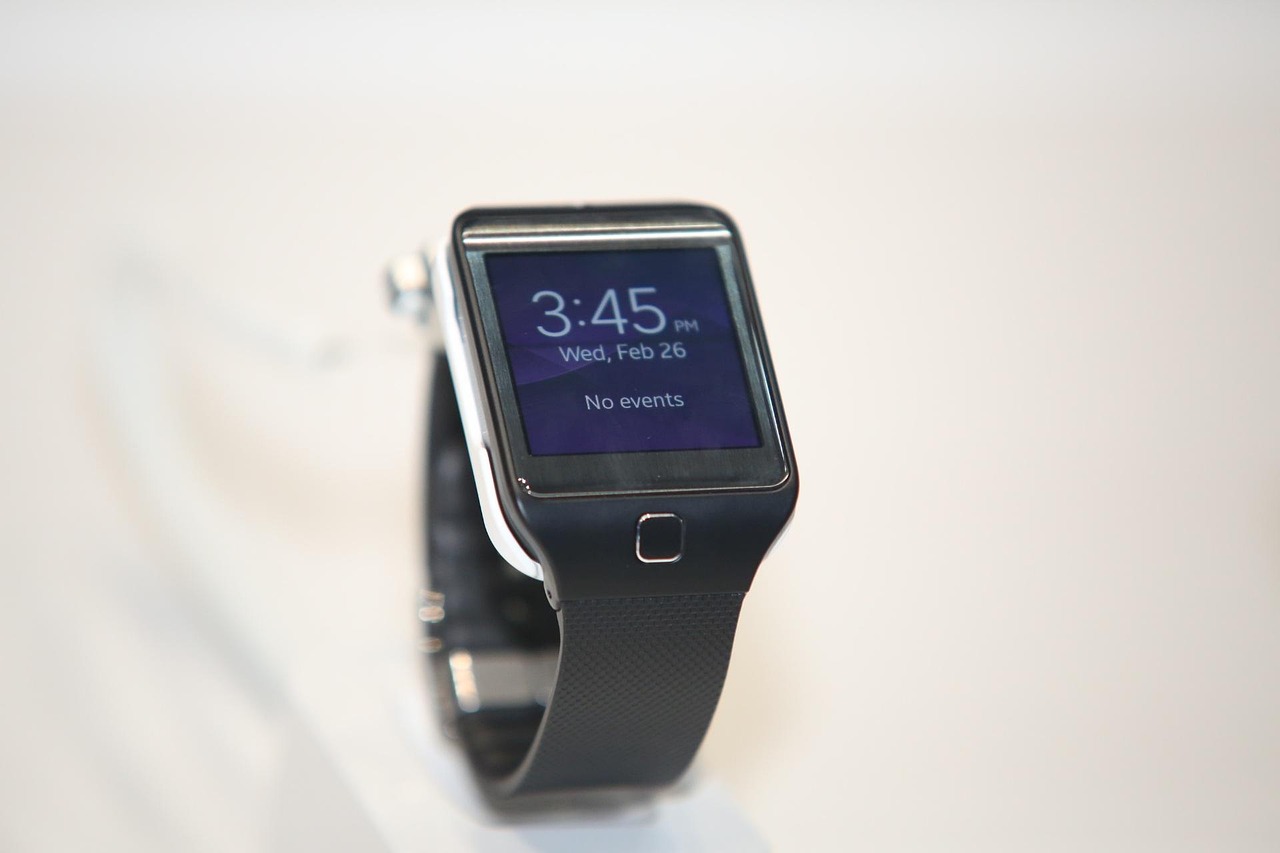
A traditional electronic device performs a fixed function. A smart device adds at least three layers: data collection, network communication and software-driven control. A connected thermostat, for example, may measure temperature, occupancy and usage patterns, communicate with an app or platform, and adjust heating or cooling based on schedules, preferences or utility signals. A smart lock may combine a mechanical lock, radio connectivity, identity controls, event logs and remote management. A wearable may combine biometric sensors, local processing, cloud syncing and mobile notifications.
That added intelligence creates value when it removes friction or improves decisions. Remote control, automation, condition monitoring, alerts and energy reporting can all be meaningful benefits. The same layers also create dependencies. If the cloud service changes, the app is abandoned, the device cannot be updated or the wireless network is unstable, the smart function can become a point of failure.
Evaluation should therefore start with the job the device must perform. A useful smart device should solve a specific problem better than a conventional alternative. It may reduce manual work, improve safety, provide better information, coordinate with other devices or save energy. If the connected features do not provide a clear benefit, the buyer is accepting cybersecurity, privacy and maintenance obligations with limited return.
Compatibility now matters beyond the first installation
Compatibility used to mean whether a product worked with one app or one voice assistant on the day of purchase. That definition is now too narrow. A smart home, office or personal device environment usually grows over time, and each new product can add another app, account, bridge, subscription or wireless protocol. The result can be a fragmented system that is difficult to troubleshoot and harder to secure.
The Matter standard is an important response to this problem. The Connectivity Standards Alliance released Matter 1.4 on November 7, 2024, adding improvements such as enhanced multi-admin functions, support for certifiable home routers and access points, and expanded energy management device categories including solar power equipment, batteries, heat pumps and water heaters. This does not mean every Matter product supports every advanced function. It does show how interoperability is expanding from lights and plugs toward infrastructure-level home systems.
For buyers, the practical lesson is to read compatibility claims carefully. A product may support Matter but still require a manufacturer app for updates, special features or onboarding. It may support Thread, Wi-Fi, Bluetooth or Zigbee, each with different range, power and hub requirements. It may work with one platform while offering limited features in another. The label on the box is a starting point, not the complete answer.
| Evaluation factor | Why it matters | What to check before buying |
|---|---|---|
| Connectivity | Determines reliability, range and power use | Wi-Fi, Thread, Zigbee, Bluetooth or wired support; hub or border router requirements |
| Ecosystem fit | Reduces app clutter and automation conflicts | Compatibility with the platform you already use and any feature limitations |
| Update path | Security and bug fixes depend on long-term software support | Automatic updates, published support period and update history |
| Local control | Improves resilience when internet service or cloud systems fail | Whether essential functions still work offline or on the local network |
| Data practices | Connected sensors can reveal habits and routines | Data collected, cloud dependency, account requirements and deletion controls |
Security is now a product feature, not an optional setting
Security has become central to the value of smart devices because each connected product can become an entry point into a home or small-business network. NIST IR 8425, published in September 2022, described baseline cybersecurity outcomes for consumer IoT products, including capabilities that apply to the full product rather than only the physical device. NIST later updated manufacturer-focused guidance in April 2026 with stronger emphasis on the whole IoT product lifecycle, including pre-market design, post-market maintenance, customer communication and end-of-life planning.
The U.S. policy environment has also changed. The FCC adopted final rules for a voluntary cybersecurity labeling program for connected smart devices in 2024. The White House announced the launch of the U.S. Cyber Trust Mark on January 7, 2025, describing a label intended to help consumers identify products tested against established cybersecurity criteria. FCC rules also describe a QR-code-linked registry designed to give consumers access to product security information, including whether a product is authorized to use the label and, over time, whether support status changes.
For everyday users, the most important security questions are direct. Does the product require unique credentials instead of default passwords? Does it support multi-factor authentication for the account that controls it? Are updates automatic or easy to apply? Does the manufacturer state how long it will provide security updates? Can unused services be disabled? Does the company explain what happens when the product reaches end of support?
The FTC has long advised consumers to start with the router because most connected devices pass through it. Changing default router credentials, enabling Wi-Fi encryption, checking for firmware updates, using device security settings and disconnecting products that are no longer used remain practical baseline steps. A strong smart device is not only one that works on day one. It is one that can be maintained safely for years.
Privacy depends on sensors, storage and control
Privacy risk is not the same for every smart device. A smart plug may expose usage patterns. A camera or video doorbell can capture images, voices and movement around private spaces. A smart speaker may process voice commands. A wearable can collect health or activity data. A vehicle-connected device may combine location, driving behavior and identity information. The more sensitive the sensor, the more carefully the product should be reviewed.
Buyers should look beyond broad claims such as secure, private or encrypted. A useful privacy review asks what information is collected, where it is processed, how long it is retained, who can access it and whether the user can delete it. For cameras and microphones, check whether recording indicators are visible, whether local storage is available, whether cloud storage is optional and whether shared access can be limited by user role. See also: BUYING GUIDES.
Privacy also depends on the installation context. A device installed in a shared home, rental property, small office or child’s room may affect people who did not buy or configure it. In these cases, transparency matters. Visible placement, clear notifications, guest settings and account access controls can reduce conflict and misuse. Smart devices should not make private environments harder to understand for the people living or working in them.
Energy management is becoming a real use case
Energy management is one of the clearest examples of smart devices moving from convenience to infrastructure. ENERGY STAR describes certified Smart Home Energy Management Systems as packages of smart home devices and user services accessible through a single platform interface. The program’s key criteria include device recognition and setup, remote user control, energy consumption information, occupancy-based control actions and user opt-out options for automated actions.
The required device mix for an ENERGY STAR Smart Home Energy Management System includes a connected thermostat, connected lighting and a plug load monitoring or control device such as a smart plug, smart power strip or home energy monitor. ENERGY STAR also describes capabilities such as responding to time-of-use energy price schedules and connecting to water heater controls. These requirements show that energy value usually comes from coordination, not from a single gadget operating alone.
Matter’s 2024 expansion into energy-related categories points in the same direction. When thermostats, batteries, solar equipment, water heaters, heat pumps and plugs can report status and coordinate more consistently, automations can become more useful. Even so, the practical benefits depend on local utility programs, device support, installation quality and user preferences. A smart energy setup should make consumption more visible and controllable, but it should not remove user control or create comfort problems in the name of automation.
A practical checklist for choosing smart devices
The best evaluation process is not complicated. It treats a smart device as a connected product with a lifecycle. Before buying, define the core task, confirm ecosystem fit, review security support and decide how much data sharing is acceptable. After installation, maintain the device like any other networked system.
- Start with the use case. Choose devices that solve a real problem, such as monitoring, automation, access control, energy visibility or safety alerts.
- Prefer open or widely supported standards where possible. Matter, Thread and other interoperability efforts can reduce lock-in, but always confirm the specific features supported by the product and platform.
- Check the update policy. A product without a clear software support plan may become risky long before the hardware fails.
- Review account security. Look for unique passwords, multi-factor authentication, access logs and role-based sharing when multiple people use the device.
- Limit unnecessary sensors. Do not install cameras, microphones or location-aware devices where a simpler sensor would meet the same need.
- Plan for failure. Essential functions such as locks, lighting, heating or alarms should have manual controls or safe fallback behavior.
- Remove abandoned devices. If a device is no longer used or no longer updated, disconnect it and delete associated accounts or data where possible.
For manufacturers and platform developers, the message is similar but broader. The competitive edge is shifting toward transparent support periods, secure defaults, easier onboarding, interoperability and responsible data practices. Hardware specifications still matter, but trust is becoming part of the product experience.
Frequently asked questions
Are smart devices the same as IoT devices?
The terms overlap, but they are not always used in exactly the same way. IoT, or Internet of Things, usually refers to connected physical objects that exchange data over networks. Smart devices are often consumer-facing IoT products with sensors, software and user-facing functions such as automation, monitoring or remote control.
Should every home device be connected?
No. A device should be connected only when the smart function adds clear value. If connectivity does not improve control, safety, efficiency, accessibility or information, a conventional product may be simpler, more private and easier to maintain.
What is the most important thing to check before buying a smart device?
Check long-term support. Compatibility and features are important, but a connected product that does not receive security updates can become a liability. Look for a clear update policy, secure account controls and realistic fallback options before adding the device to your network.
Do labels and standards guarantee that a device is safe?
No label or standard can remove all risk. They can, however, give buyers better information and raise the baseline for product design. Standards, cybersecurity labels and energy certifications are most useful when combined with good network hygiene, careful permissions and regular maintenance.