Mobile wifi hotspot guide for secure and reliable portable internet
What a mobile Wi-Fi hotspot actually does
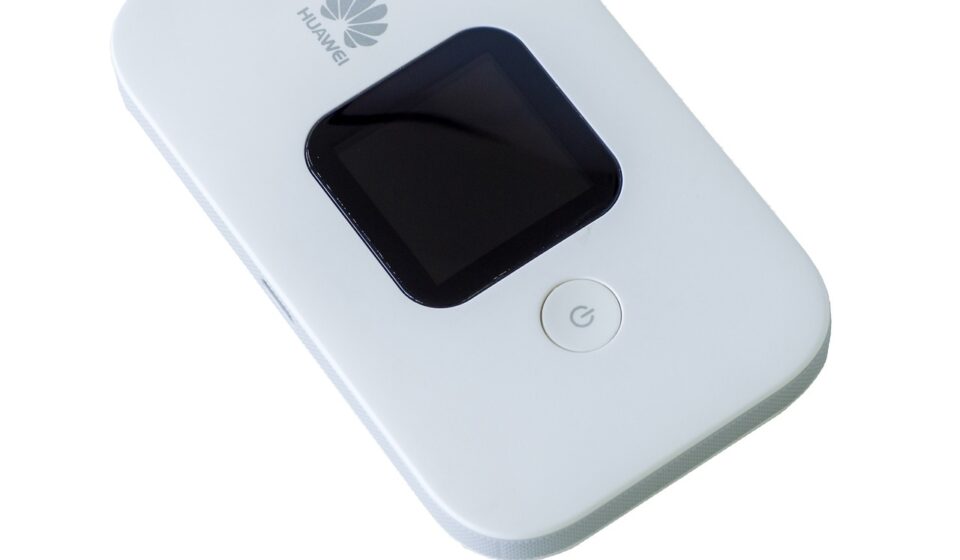
A mobile wifi hotspot is a portable cellular router. It connects to a mobile network through a SIM or eSIM, then creates a local Wi-Fi network for laptops, tablets, cameras, payment terminals, sensors, and other connected devices. It is useful when fixed broadband is unavailable, public Wi-Fi is unreliable, or tethering would drain a phone battery. The right choice usually depends less on the largest advertised speed and more on carrier coverage, data policy, supported 4G and 5G bands, Wi-Fi generation, battery life, device limits, and security controls.
For smart hardware users, a hotspot should be treated as part of the connectivity stack, not just as a travel accessory. It can keep a mobile workstation online, provide temporary access for field equipment, support pop-up retail systems, or act as a backup link for a small office. It also inherits the limits of the mobile network around it. Building materials, congestion, plan throttling, antenna placement, and carrier roaming rules can affect performance as much as the device itself.

Why portable hotspots still matter in a 5G era
5G has made mobile broadband more practical for bandwidth-heavy tasks, but it has not removed the need to plan carefully. In a 2024 broadband report, the Federal Communications Commission noted that U.S. 5G download performance had improved significantly, while still varying by provider, location, and comparison with fixed broadband. The same variation appears in daily hotspot use. A device that performs well near a window in one city may slow down inside a dense building, at an event, or in a rural area with limited backhaul.
The Wi-Fi side of the device is changing as well. The Wi-Fi Alliance introduced Wi-Fi CERTIFIED 7 on January 8, 2024, with features such as 320 MHz channels where 6 GHz spectrum is available, Multi-Link Operation, and higher-order modulation. For a mobile hotspot, however, Wi-Fi 7 is not an automatic speed guarantee. It improves the local link between the hotspot and client devices, while the internet connection still depends on the cellular link, the data plan, signal quality, and network load.
That distinction matters when comparing specifications. A 5G hotspot with Wi-Fi 6 may outperform a Wi-Fi 7 hotspot if it has better cellular band support, stronger antennas, and a less restrictive plan. Conversely, a newer Wi-Fi chipset can help when several nearby devices share the same hotspot, especially in crowded RF environments. The best specification is the one that matches the actual use case.
Phone hotspot vs dedicated mobile hotspot
Most smartphones can share their cellular data connection, so a dedicated hotspot is not always necessary. The practical question is whether quick access is enough, or whether the connection needs to be stable, shareable, and manageable over longer sessions.
| Option | Strengths | Limitations | Best fit |
|---|---|---|---|
| Phone hotspot | No extra device, quick setup, good for occasional laptop use | Drains phone battery, may heat up, fewer management controls, plan may limit tethering | Short sessions, personal travel, emergency use |
| Dedicated mobile hotspot | Separate battery, stronger hotspot controls, can stay positioned for signal, often supports more clients | Requires device purchase and a compatible data plan | Remote work, teams, field hardware, backup internet |
| Cellular router or travel router with modem | More Ethernet, antenna, VPN, and failover options | Less pocketable, often needs more configuration | Vehicles, kiosks, small sites, semi-permanent deployments |
For occasional email or maps, a phone hotspot is usually enough. For a full workday of video calls, cloud dashboards, smart camera setup, or point-of-sale equipment, a dedicated device is easier to position, monitor, and keep powered. It also separates phone availability from network sharing, which matters when the phone is needed for calls, authentication, or navigation.
Specifications that matter more than headline speed
Cellular compatibility
Start with the carrier and coverage, not the box speed. Check whether the hotspot supports the carrier bands used in the places where it will operate. 5G support can include low-band coverage for reach, mid-band spectrum for capacity, and, in some models, millimeter-wave support for very high speeds in limited areas. A hotspot that lacks the right bands may fall back to slower service even if it is marketed as 5G.
SIM, eSIM, and carrier lock status
Unlocked devices offer more flexibility for travel and multi-carrier testing, but compatibility is not guaranteed by the word unlocked alone. Confirm SIM size, eSIM support if needed, carrier certification, roaming rules, and whether the plan allows hotspot data. The FCC has noted that mobile plans with smartphone hotspot capability may cost more, require premium tiers, or include separate speed and data allowances, so plan terms should be read as part of the hardware decision.
Wi-Fi generation and client capacity
Wi-Fi 5 can still handle basic tasks, while Wi-Fi 6 and Wi-Fi 6E are better suited to dense device environments and newer laptops or tablets. Wi-Fi 7 adds newer capabilities, but the benefit depends on client support and spectrum availability. For many buyers, stable 5 GHz performance, WPA3 support, and reliable handling of multiple clients are more valuable than a theoretical maximum throughput number.
Battery, charging, and ports
Battery ratings are usually measured under controlled conditions. Real runtime can fall when the cellular signal is weak, the hotspot is serving many clients, or the device is operating on 5G for long periods. USB-C charging, removable or high-capacity batteries, external antenna ports, and Ethernet can be decisive for field work. A hotspot used in a vehicle, kiosk, or backup setup should also be checked for safe continuous power behavior.
Security setup should not be optional
A hotspot is a small router, and it deserves router-level security hygiene. NIST IR 8425, finalized on September 20, 2022, describes consumer IoT cybersecurity outcomes such as device identification, secure configuration, data protection, software updates, and cybersecurity state awareness. Those ideas apply well to hotspot purchasing: choose devices with clear update policies, modern encryption, and administrative controls that can be changed by the user.
- Change the default administrator password before regular use.
- Use WPA2-Personal at minimum, and WPA3-Personal where all client devices support it.
- Disable WPS if it is not needed.
- Set a network name that does not reveal the owner, company, or device model.
- Install firmware updates, especially before travel or long field deployments.
- Use a guest network if the hotspot supports it and untrusted devices need access.
- Review connected-device lists regularly and remove unknown clients.
Public Wi-Fi guidance from the Federal Trade Commission notes that widespread HTTPS adoption has made many public networks safer than they were in the past, but it also points out that app encryption is not always obvious to users. A personal hotspot reduces exposure to unknown public access points, but it does not replace endpoint security, strong account authentication, or encrypted application traffic.
The FCC also established the framework for a voluntary U.S. Cyber Trust Mark program for wireless consumer IoT products in March 2024 and announced the administrator application process on September 10, 2024. As labels appear across connected product categories, they may become a helpful signal. They should not replace basic checks such as update support, encryption options, and vendor documentation. See also: BUYING GUIDES.
Coverage and data limits are the usual bottlenecks
Coverage maps are useful for screening carriers, but they should not be read as indoor performance guarantees. FCC guidance for its National Broadband Map explains that mobile coverage areas reflect where users should be able to connect outdoors or in a moving vehicle; they do not show indoor coverage. For hotspot buyers, that means a test in the exact location is more valuable than a general regional coverage claim.
Data policy is the second bottleneck. Many plans distinguish between phone data, hotspot data, premium data, deprioritized data, and throttled data after a threshold. Some plans are suitable for email and dashboards but not for frequent operating-system updates, cloud backups, camera uploads, or high-definition streaming. Before buying hardware, estimate the workload. A single laptop can consume several gigabytes quickly through video meetings, sync services, browser tabs, and software updates.
| Workload | Hotspot impact | Practical check |
|---|---|---|
| Email, messaging, web dashboards | Low to moderate data use | Prioritize coverage and battery life |
| Video calls and remote work | Higher sustained upload and download demand | Check plan thresholds and uplink performance |
| Smart cameras and field monitoring | Can be upload-heavy and continuous | Confirm power, antenna options, and data allowance |
| Travel backup for several devices | Performance depends on congestion and client count | Look for strong Wi-Fi management and clear device limits |
For more smart-hardware networking context, see the Connectivity section.
A practical buying checklist
The most reliable buying process starts with the operating environment, not the device. Identify where the hotspot will be used, which carrier works there, how much data is needed, how many devices will connect, and whether the connection is mission-critical. Then compare hardware.
- Test carrier coverage with a phone or short-term plan in the intended locations.
- Confirm that the hotspot supports the carrier bands and 5G mode you need.
- Read the data plan terms for hotspot caps, throttling, roaming, and video restrictions.
- Choose Wi-Fi 6 or newer for multi-device work, unless the budget or client devices make Wi-Fi 5 acceptable.
- Check battery runtime, USB-C charging, and whether continuous plugged-in use is supported.
- Look for WPA3, configurable admin credentials, firmware update history, and guest networking.
- Consider external antenna ports or Ethernet if the hotspot will support equipment rather than casual browsing.
- Avoid choosing solely by theoretical maximum speed, because cellular coverage and plan policy usually dominate real results.
For smart hardware deployments, the final decision often comes down to reliability features: external power, device management, predictable firmware support, and the ability to place the hotspot where signal is strongest. A pocket hotspot is ideal for mobility, while a larger cellular router may be better for a vehicle, temporary site, or backup network.
Frequently asked questions
Is a mobile Wi-Fi hotspot faster than a phone hotspot?
Not automatically. A dedicated hotspot may have better antennas, thermal design, battery life, and device-management features, but speed still depends on the cellular network, plan, signal quality, and congestion. In some locations, a modern phone may perform as well as or better than a separate hotspot.
Do I need 5G for a hotspot?
5G is useful for heavier workloads, lower latency needs, and areas with strong mid-band coverage. For email, messaging, and basic web access, 4G LTE can still be adequate. The better choice is the network that is reliable where the hotspot will actually be used.
How many devices can connect to a mobile hotspot?
The answer depends on the model and plan. Manufacturers often list a maximum client count, but real performance falls as more devices compete for bandwidth and battery power. For teams or equipment deployments, choose a device with more capacity than the minimum expected need.
Can a mobile hotspot replace home internet?
It can work as a temporary or backup connection, and in some locations it can serve as a primary link. It is less predictable than fixed broadband because indoor signal, congestion, data caps, and throttling can change the experience. For a permanent home setup, compare it with fixed wireless, cable, fiber, and satellite options available at the address.
What is the safest way to use a hotspot while traveling?
Use a strong Wi-Fi password, change the admin password, keep firmware updated, avoid sharing the network with unknown devices, and turn the hotspot off when it is not in use. For sensitive work, combine the hotspot with device encryption, multi-factor authentication, and secure applications.