iPad buying guide 2026 for students, creators, and everyday use
As of August 30, 2026, the practical answer is clear for most buyers. Choose iPad Air if you want the best balance of performance, accessories, screen options, and long-term flexibility. Choose the standard iPad if price matters more than Apple Intelligence and pro accessories. Choose iPad mini when portability is the main reason to buy. Choose iPad Pro only if you need the top display, the fastest chip, ProRes workflows, or high-end external display support. In this lineup, the wrong purchase is rarely about raw speed alone. It is more often about paying for a screen, keyboard, Pencil, storage tier, or cellular feature that does not fit the way you use the device.
Source note for readers: model and feature facts in this guide are based on Apple Store and Apple comparison pages checked on August 30, 2026, Apple Newsroom announcements dated October 15, 2025 and March 2, 2026, and Apple Support guidance published July 7, 2026. Prices and promotions can change, so treat listed starting prices as current reference points, not guaranteed checkout totals. You can also explore more in BUYING GUIDES.
Current iPad lineup at a glance
Apple’s current iPad family covers four distinct roles. The 2026 buying decision is shaped mainly by three gaps: Apple Intelligence support, Apple Pencil Pro support, and display quality. The standard iPad is still a capable everyday tablet, but it is now the outlier because it uses the A16 chip and does not support Apple Intelligence. iPad Air and iPad mini both support Apple Pencil Pro, while iPad Pro adds the highest-end display and M5 performance.
| Model | Current role | Key strengths | Main limitation |
|---|---|---|---|
| iPad Pro 11-inch or 13-inch with M5 | High-end creative and professional tablet | Ultra Retina XDR display, ProMotion, M5 chip, ProRes video support, Apple Pencil Pro, Magic Keyboard for iPad Pro | Expensive for note-taking, streaming, reading, and basic productivity |
| iPad Air 11-inch or 13-inch with M4 | Balanced choice for most demanding buyers | M4 chip, Apple Intelligence, Apple Pencil Pro, Magic Keyboard for iPad Air, 11-inch and 13-inch sizes | No ProMotion and no Ultra Retina XDR display |
| iPad 11-inch with A16 | Everyday iPad for lower budgets | Lower entry price, 11-inch Liquid Retina display, USB-C, Apple Pencil USB-C support, Magic Keyboard Folio support | No Apple Intelligence, no Apple Pencil Pro, sRGB rather than P3 wide color |
| iPad mini with A17 Pro | Portable reading, field notes, travel, and handheld use | 8.3-inch size, A17 Pro, Apple Intelligence, Apple Pencil Pro, P3 color | Too small for laptop-style work and full-day document multitasking |
Apple’s store summary currently lists starting prices from about $1,199 for iPad Pro, $749 for iPad Air, $449 for iPad, and $599 for iPad mini. Retail sales, education pricing, carrier plans, and refurbished units can change the value calculation, especially for iPad Air and the standard iPad.
Start with workload, not the model name
The safest way to avoid overspending is to define the job before comparing chips. Modern iPads are already fast enough for common tasks. The real difference is whether your daily use benefits from a larger display, advanced Pencil features, better color, or more memory headroom.
For everyday browsing, streaming, email, and family use
The iPad with A16 is usually the sensible starting point. It handles web browsing, video calls, streaming, light gaming, school portals, recipes, and casual photo edits without requiring an Air or Pro budget. The trade-off is future-facing software. Apple Support lists Apple Intelligence requirements as iPad mini with A17 Pro and iPad models with M1 or later, which leaves the A16 iPad outside that feature group. If Apple Intelligence tools are not part of your buying reason, that limitation may be acceptable.
For students and heavy note-takers
Students should decide first on screen size and Pencil support. The standard iPad works for typed notes and basic handwriting with Apple Pencil USB-C or the first-generation Apple Pencil. iPad Air is the cleaner long-term note-taking choice if you expect to use Apple Pencil Pro features, keep several study apps open, or want a 13-inch screen for textbooks beside notes. For students who value workspace over display technology, a 13-inch iPad Air can be more useful than an 11-inch Pro.
For drawing, video, coding, and professional workflows
Creative buyers should look at iPad Air or iPad Pro. iPad Air with M4 is strong enough for many drawing, music, photo, and video workflows, and Apple said on March 2, 2026 that the M4 Air gained more memory and faster connectivity while keeping the Air line’s broad accessory support. iPad Pro is easier to justify when display quality, ProMotion, HDR brightness, ProRes video, faster storage, higher memory configurations, or external display behavior affects paid work.
Display and size matter more than most spec sheets suggest
Apple’s four iPad families use different display tiers. The standard iPad has an 11-inch Liquid Retina display with sRGB color and True Tone, which is fine for school, home, and office tasks. The iPad mini has an 8.3-inch Liquid Retina display with P3 wide color and an antireflective coating, so its display is more premium than its size suggests. iPad Air moves to 11-inch and 13-inch Liquid Retina options with P3 color, True Tone, and antireflective coating.
iPad Pro is the display-led model. Apple lists an Ultra Retina XDR display, ProMotion, P3 wide color, True Tone, antireflective coating, and a nano-texture glass option on 1TB and 2TB models. Those details matter if you edit HDR video, draw with fast motion, read outdoors often, or notice smoother scrolling. They matter much less if most of your use is email, YouTube, web apps, and cloud documents.
Size is a workflow decision. An 11-inch iPad is portable and comfortable on a couch or desk. A 13-inch Air or Pro is closer to a lightweight laptop replacement when paired with a keyboard, but it is less convenient for handheld reading. The mini is excellent for travel, medical rounds, inventory checks, aviation references, field notes, and e-books. It is not the model to buy if you often split the screen between a browser, notes, and a PDF.
Apple Intelligence and accessories can change the right answer
Apple Intelligence is now an important dividing line in the lineup. According to Apple Support’s July 7, 2026 device guidance, supported iPads include iPad mini with A17 Pro and iPad models with M1 and later. In practical terms, the current iPad Pro, iPad Air, and iPad mini support Apple Intelligence, while the current iPad with A16 does not. If you expect to use Writing Tools, summaries, Genmoji, Image Playground, intelligent Shortcuts, or related features, do not buy the A16 iPad as your main long-term device.
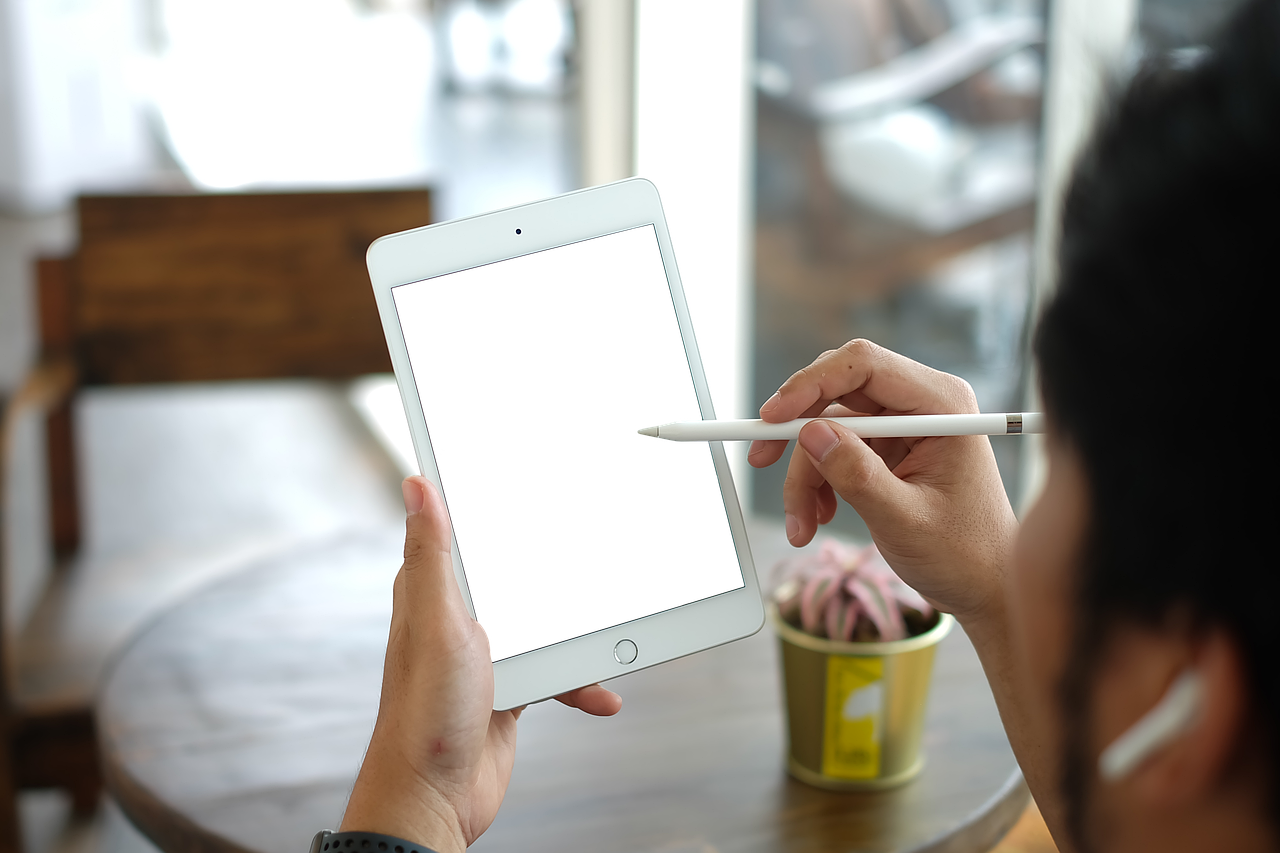
Apple Pencil compatibility is just as important. iPad Pro, iPad Air, and iPad mini support Apple Pencil Pro and Apple Pencil USB-C. The standard iPad supports Apple Pencil USB-C and Apple Pencil first generation, but not Apple Pencil Pro. Artists and serious note-takers should price the iPad together with the Pencil they actually want, not just the tablet.
Keyboard support also separates the models. iPad Pro uses Magic Keyboard for iPad Pro. iPad Air uses Magic Keyboard for iPad Air. The standard iPad uses Magic Keyboard Folio. iPad mini supports Bluetooth keyboards rather than a laptop-style Apple keyboard case. If you plan to type thousands of words a week, try the keyboard layout before buying. A cheaper iPad can become the wrong device if its keyboard setup does not fit your work. See also: CONNECTIVITY.
Storage and connectivity choices
Storage is where many iPad buyers either overspend or limit the device too early. A 128GB iPad can work for web apps, streaming, email, note-taking, and cloud documents. Move to 256GB if you download classes, movies, large games, offline maps, PDFs, Procreate files, or Lightroom libraries. Choose 512GB or more only when local media and creative projects are part of the reason you are buying the iPad.
| Use case | Suggested storage | Why |
|---|---|---|
| Streaming, browsing, family use | 128GB | Most files can stay in iCloud or streaming apps |
| Student notes, PDFs, moderate games | 256GB | Leaves room for offline files and several years of apps |
| Drawing, photo edits, local video | 256GB to 512GB | Project files grow quickly, especially with layers and exports |
| Professional video, large media libraries | 1TB or 2TB | Needed when local storage, memory tiers, or nano-texture options matter |
Wi-Fi is enough for home, school, and office users who can hotspot from a phone when needed. Cellular is worth considering for commuters, field workers, frequent travelers, point-of-sale use, and anyone who needs the iPad online without depending on phone battery. Apple notes that cellular models use eSIM, and carrier support can vary, so check your carrier before paying for the upgrade.
Model-by-model buying recommendations
Choose iPad with A16 for value-first everyday use
Buy the standard iPad if you want the lowest-cost current iPad for media, web, email, simple schoolwork, video calls, casual games, and shared family use. It is also practical for children or households where durability, case cost, and replacement cost matter more than advanced features. Do not choose it if Apple Intelligence, Apple Pencil Pro, P3 color, or a pro-style keyboard experience is central to your purchase.
Choose iPad Air with M4 for the broadest middle ground
iPad Air is the easiest recommendation for buyers who plan to keep the device for years. It has M4 performance, Apple Intelligence support, Apple Pencil Pro compatibility, 11-inch and 13-inch sizes, and a keyboard path that can replace a light laptop for many users. Compared with iPad Pro, the main compromises are display technology and the highest-end media features. For most students, office users, and hobby creators, those compromises are reasonable.
Choose iPad mini for portability first
The iPad mini is not simply a smaller iPad Air. Its size changes the way you use it. It works well when one-handed use, bag space, field mobility, or reading comfort is the priority. It is also more capable than the standard iPad in one important area: it supports Apple Intelligence and Apple Pencil Pro. Choose it for travel, reading, note capture, sketching, and specialized mobile work. Avoid it if you want a primary writing machine or a large canvas.
Choose iPad Pro with M5 for display-led and pro workloads
iPad Pro is the right answer when the screen and performance ceiling are part of the job. Apple introduced the M5 iPad Pro on October 15, 2025 with higher AI performance, faster storage, and iPadOS 26-focused professional features. It also supports ProMotion, Ultra Retina XDR, ProRes video, the Magic Keyboard for iPad Pro, and Apple Pencil Pro. If those terms do not connect to your daily workflow, iPad Air is likely the more efficient spend.
Buying checklist before checkout
- Pick the size first. Choose 11 inches for portability, 13 inches for multitasking, and 8.3 inches only when handheld use is the priority.
- Decide whether Apple Intelligence matters. If yes, avoid the A16 iPad.
- Price the full kit. Add the cost of Apple Pencil, keyboard, case, AppleCare, and storage before comparing models.
- Do not overbuy storage. 128GB is acceptable for cloud-first users; 256GB is the safer default for students and long-term owners.
- Consider last-generation deals carefully. A discounted M-series iPad Air or iPad Pro can be better value than a new lower-tier model, but check Pencil and keyboard compatibility before buying.
- Use the latest buyer notes. For more practical device comparisons, browse our buying guides.
Frequently asked questions
Which iPad should most people buy in 2026?
Most people who want a long-term personal iPad should start with iPad Air. It has strong M4 performance, Apple Intelligence support, Apple Pencil Pro compatibility, and two screen sizes without reaching iPad Pro pricing. The standard iPad is better only when budget is the main constraint.
Is the standard iPad with A16 still worth buying?
Yes, if you mainly need a reliable tablet for browsing, video, email, school portals, and basic apps. Its major drawback is not everyday speed; it is the lack of Apple Intelligence and Apple Pencil Pro support. If either feature matters, move to iPad Air or iPad mini.
Should students buy iPad Air or iPad Pro?
Most students should buy iPad Air unless their coursework involves professional video, color-critical media, heavy 3D work, or they strongly prefer ProMotion. A 13-inch iPad Air can be more useful for textbooks and notes than an 11-inch Pro at a similar total budget.
How much storage should I get?
Choose 128GB for light, cloud-first use; 256GB for students and most long-term buyers; and 512GB or more for local creative files, large games, downloaded media, or professional work. Storage cannot be upgraded later, so avoid cutting it too close.
Is cellular worth it on an iPad?
Cellular is worth it if the iPad is a work or travel device that must stay online independently. If you mostly use Wi-Fi and only occasionally need mobile data, a phone hotspot is usually enough.