A practical TV buying guide Reddit shoppers can use in 2026
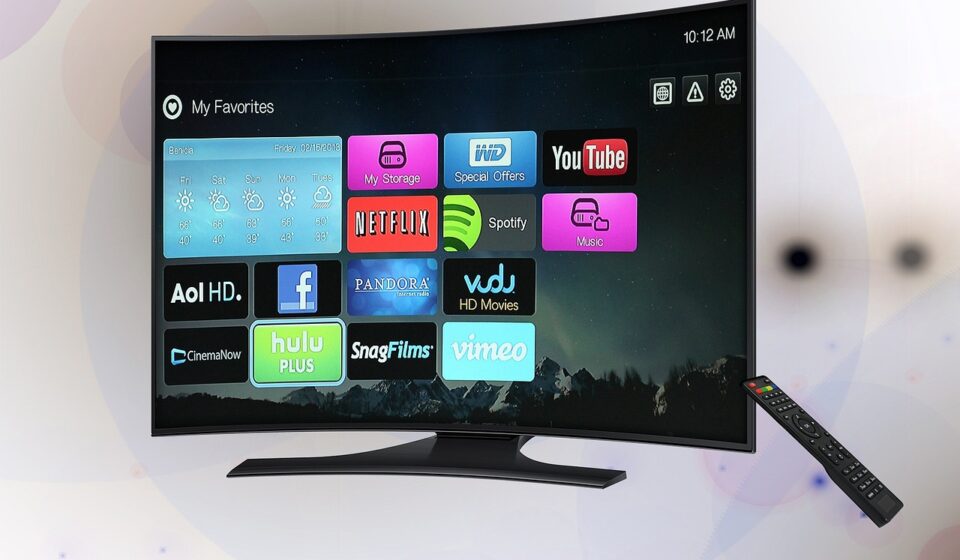
A useful TV buying guide Reddit shoppers can apply in 2026 should not start with the most-upvoted model name. It should start with the room, the budget, and how the TV will actually be used. Current Reddit TV-buying threads tend to return to the same questions: OLED or Mini LED, 65 inches or 77 inches, 120Hz or 60Hz, and whether a cheaper large-screen model is a sensible compromise. The practical way to narrow the field is to assess room brightness and seating distance first, then compare panel type, gaming requirements, HDR expectations, and warranty comfort. Reddit can help identify recurring owner complaints and deal patterns, but it works best when paired with measured reviews and a clear personal checklist.
For more hardware shopping frameworks, visit our buying guides.
Why Reddit TV advice is useful but incomplete
Reddit is valuable because it captures real buyer uncertainty. In communities such as r/4kTV, r/hometheater, and brand-specific TV forums, shoppers rarely ask abstract specification questions. They ask whether a 77-inch OLED is worth more than an 85-inch Mini LED, whether burn-in should stop them from buying OLED, or whether a budget 75-inch TV will disappoint with HDR content. That makes Reddit a useful source for understanding search intent and common pain points.
It is not, however, a controlled test lab. A comment may be based on one living room, one panel sample, one sale price, or one poor customer-support experience. A highly upvoted answer can be directionally helpful and still be wrong for your space. The strongest Reddit advice usually asks about room brightness, seating distance, usage mix, gaming systems, budget ceiling, and country before naming specific models.
The weakest advice skips those variables and turns into brand tribalism. If a thread claims one brand is always better, or that one display technology is ideal for everyone, treat it as opinion rather than buying guidance. TV performance depends heavily on environment. A dark-room OLED can be excellent for films but less convincing in a sunlit living room. A bright Mini LED can look impressive during the day but may show blooming around subtitles at night.
Start with room brightness and seating distance
The first decision is not brand. It is whether the TV is physically and visually right for the room. A 4K TV is sharp enough at normal living-room distances, so many buyers can choose a larger screen than they first expected. Still, bigger is not automatically better if the screen dominates the room or forces uncomfortable eye movement.
A practical rule used by many reviewers and home-theater calculators is that a TV should fill roughly 30 to 40 degrees of your field of view. The casual living-room end is closer to 30 degrees; the more cinematic end is closer to 40 degrees. In simple terms, if your sofa is around 8 to 9 feet from the screen, a 65-inch TV is often comfortable, while a 75- or 77-inch model can feel more immersive. At around 10 to 11 feet, many buyers start considering 75, 77, 83, or 85 inches.
| Viewing distance | Conservative size range | More immersive size range | What to watch |
|---|---|---|---|
| 6 to 7 feet | 50 to 55 inches | 60 to 65 inches | Small rooms, mixed TV and gaming |
| 8 to 9 feet | 60 to 65 inches | 75 to 77 inches | Living rooms, movies, sports |
| 10 to 11 feet | 75 to 77 inches | 83 to 85 inches | Large rooms and home-theater use |
| 12 feet or more | 83 to 85 inches | 98 inches or projector territory | Big rooms where immersion matters |
Brightness matters as much as size. If the TV faces windows or will be used heavily during the day, prioritize high full-screen brightness, strong reflection handling, and effective local dimming. If the room is light-controlled and mostly used for films at night, black level, contrast, near-black detail, and viewing angles become more important.
OLED, QLED, and Mini LED explained without the marketing fog
Most Reddit TV debates eventually become an OLED versus Mini LED discussion. The terms are often mixed with marketing labels, so it helps to separate the display technology from the branding.
OLED
OLED TVs use self-emissive pixels, meaning each pixel can turn on or off independently. The visible advantages are excellent black level, pixel-level contrast, fast response time, and wide viewing angles. For movies in a dark room, OLED remains one of the most convincing display choices because black bars and dark scenes can look truly black rather than gray.
The trade-offs are brightness, price at larger sizes, and burn-in risk. Modern OLED TVs include protection features, and many normal viewers may never experience burn-in. Still, if your usage includes many hours of static news tickers, sports scoreboards, desktop interfaces, or the same game HUD every day, an LCD-based Mini LED TV may offer more peace of mind.
QLED and Mini LED
QLED is generally an LCD TV with quantum-dot color enhancement. Mini LED refers to a more advanced backlight system using many smaller LEDs, usually paired with local dimming zones. A good Mini LED TV can get very bright, which makes it attractive for sunny rooms, sports, HDR highlights, and larger screen sizes where OLED becomes expensive.
The trade-off is that LCD TVs still rely on a backlight. Even with local dimming, bright objects on dark backgrounds can create blooming or halos. Viewing angles can also be weaker than OLED, depending on panel type and manufacturer processing. This is why Reddit users often say Mini LED is better for bright rooms, while OLED is better for dark-room movie watching. That shorthand is not perfect, but it is a useful starting point.
Basic LED LCD
Entry-level LED LCD TVs can be fine for casual streaming, news, kids’ rooms, and budget upgrades. The main concern is that many inexpensive large TVs use 60Hz panels, limited local dimming, lower HDR brightness, and weaker motion handling. They may look good with bright SDR content in a store but less impressive with dark HDR movies at home.
How to read Reddit recommendations by budget
Reddit buying threads can be confusing because a recommendation that makes sense at one price can be poor value at another. A discounted midrange Mini LED may beat a full-price entry OLED for a bright room. A previous-year premium OLED may be a better buy than a new midrange model if the price gap closes. The key is to evaluate tiers, not only brand names.
- Under $500: Prioritize size, reliable software, acceptable input lag, and return policy. Do not expect reference-level HDR. A smaller, better-reviewed TV can be wiser than the largest unknown model.
- $500 to $1,000: Look for full-array local dimming or Mini LED, decent brightness, and at least two HDMI inputs that fit your devices. This is often the value zone for mainstream living rooms.
- $1,000 to $1,800: Compare good Mini LED models against entry and midrange OLEDs. Your room brightness should decide more than the logo on the box.
- $1,800 and up: Premium OLED, high-end Mini LED, larger 83- to 85-inch screens, and better processors enter the conversation. At this level, small differences in motion, tone mapping, reflection control, and upscaling matter more.
One Reddit habit worth copying is to list your constraints before asking for advice. A useful request includes country, budget before tax, desired size, seating distance, room brightness, viewing mix, gaming hardware, and whether wall mounting is planned. Without those details, recommendations become guesswork. See also: CONNECTIVITY.
Gaming features that actually matter
For PlayStation 5, Xbox Series X, gaming PCs, and future consoles, the most relevant TV features are not always the ones printed largest on the box. The basics are low input lag, a native 120Hz panel, variable refresh rate, auto low-latency mode, and enough HDMI bandwidth for your devices. Enhanced Audio Return Channel is also useful if you connect a soundbar or AV receiver.
Be careful with motion-rate marketing. A TV may advertise a high motion number while still using a native 60Hz panel. For serious console or PC gaming, native 120Hz support is the more meaningful specification. If you use multiple high-bandwidth devices, check how many HDMI ports support the features you need at the same time. Some TVs offer only two full gaming-capable ports, and one may also be the audio return port.
OLED has an advantage in pixel response and perceived motion clarity, which can make fast games look clean. Mini LED can have an advantage in bright-room visibility and reduced anxiety over static HUD elements. Neither is automatically the right answer. If your TV doubles as a PC monitor for long sessions with static taskbars, Mini LED may be safer. If you mainly play cinematic games and watch films in a controlled room, OLED may feel more premium.
HDR, processing, and software are where cheap TVs often fall behind
Many TVs support HDR formats on paper, but support does not guarantee strong HDR performance. Real HDR depends on brightness, contrast, local dimming quality, color volume, and tone mapping. A budget TV may accept an HDR signal but lack the brightness and dimming control to make HDR look dramatically better than standard dynamic range.
Processing is another under-discussed difference. Upscaling cable TV, handling low-bitrate streams, smoothing gradients, reducing banding, and preserving shadow detail all depend on the TV’s processor and manufacturer tuning. This is one reason two TVs with similar panel specifications can look different at home.
Smart TV software also matters, but it should not be the only reason to buy a display. Google TV, Roku TV, Fire TV, webOS, and Tizen each have strengths and annoyances. Apps and interfaces change over time. If the panel is excellent but the operating system is not your favorite, an external streaming device can be a simple fix. If the panel is weak, no streaming stick can repair poor contrast or dim HDR.
A Reddit-style checklist before you buy
Before buying, use this checklist to turn scattered advice into a practical decision.
- Measure seating distance. Decide whether you want a casual or cinematic field of view before choosing 55, 65, 75, 77, 83, or 85 inches.
- Rate room brightness. A bright daytime room points toward Mini LED or a very bright OLED. A dark movie room makes OLED more attractive.
- Define your content mix. Sports, news, gaming, movies, cable, and low-quality streams stress different parts of TV performance.
- Check native refresh rate. Choose 120Hz if gaming, sports, and motion performance are priorities.
- Count HDMI needs. Include consoles, PC, soundbar, disc player, and receiver before assuming the port layout is enough.
- Look beyond star ratings. Read measured reviews for brightness, local dimming, viewing angle, input lag, and uniformity.
- Consider return policy and warranty. Panel uniformity, dirty-screen effect, coil noise, and software issues may only become obvious at home.
- Compare actual sale prices. A model can move from overpriced to excellent value after a seasonal discount.
The most useful buying decision is often a compromise you can explain. Choosing a 75-inch Mini LED over a 65-inch OLED may be reasonable in a bright family room. Choosing a 65-inch OLED over a larger budget LCD may be reasonable for dark-room movies. Choosing a cheaper 60Hz TV can also be fine for casual streaming if you are honest about expectations.
Frequently asked questions
Is Reddit reliable for TV buying advice?
Reddit is reliable for identifying common questions, owner complaints, and real-world trade-offs, but it should not be your only source. Treat it as a discussion layer, then verify key points with measured reviews, official specifications, and a retailer return policy.
Should I buy OLED or Mini LED?
Choose OLED if you want excellent contrast, wide viewing angles, and dark-room movie performance. Choose Mini LED if your room is bright, you want a very large screen for the money, or you are worried about static content. The better choice depends on usage, not the technology name alone.
Is 8K worth it for most buyers in 2026?
For most shoppers, 4K remains the practical choice because mainstream streaming, broadcast, disc, and gaming ecosystems are still centered on 4K. An 8K TV may make sense for a very large premium screen, but it should not come at the expense of contrast, HDR quality, processing, or size.
Is a 120Hz TV necessary?
It is not necessary for casual streaming, but it is strongly worth considering for gaming, sports, and buyers who keep a TV for many years. A native 120Hz panel usually gives you more flexibility than a 60Hz model with inflated motion marketing.
When is the right time to buy a TV?
TV prices often shift around major shopping periods, new model launches, and closeouts on previous-year models. Instead of waiting indefinitely, track the models that fit your room and budget, then buy when a strong price overlaps with a good return policy.