MacBook Pro buying guide for M5, M5 Pro and M5 Max
Quick recommendation
Start this MacBook Pro buying guide with the workload, not the highest chip option. The 14-inch MacBook Pro with M5 is the sensible choice for students, writers, business users, light creators and developers who want the Pro display, long battery life and a full port layout without paying for workstation-class performance. Choose M5 Pro if you regularly compile large projects, edit high-resolution media, manage big photo libraries, use multiple external displays or rely on fast external storage. Choose M5 Max only if your work can use very high GPU throughput, large unified memory, multiple 6K-class displays, heavy video pipelines, 3D rendering or local machine-learning workloads. This guide reflects Apple’s publicly listed MacBook Pro specifications available in September 2026 and focuses on practical buying decisions, not benchmark chasing.
For more hardware decision guides, visit our BUYING GUIDES section.
Current MacBook Pro lineup at a glance
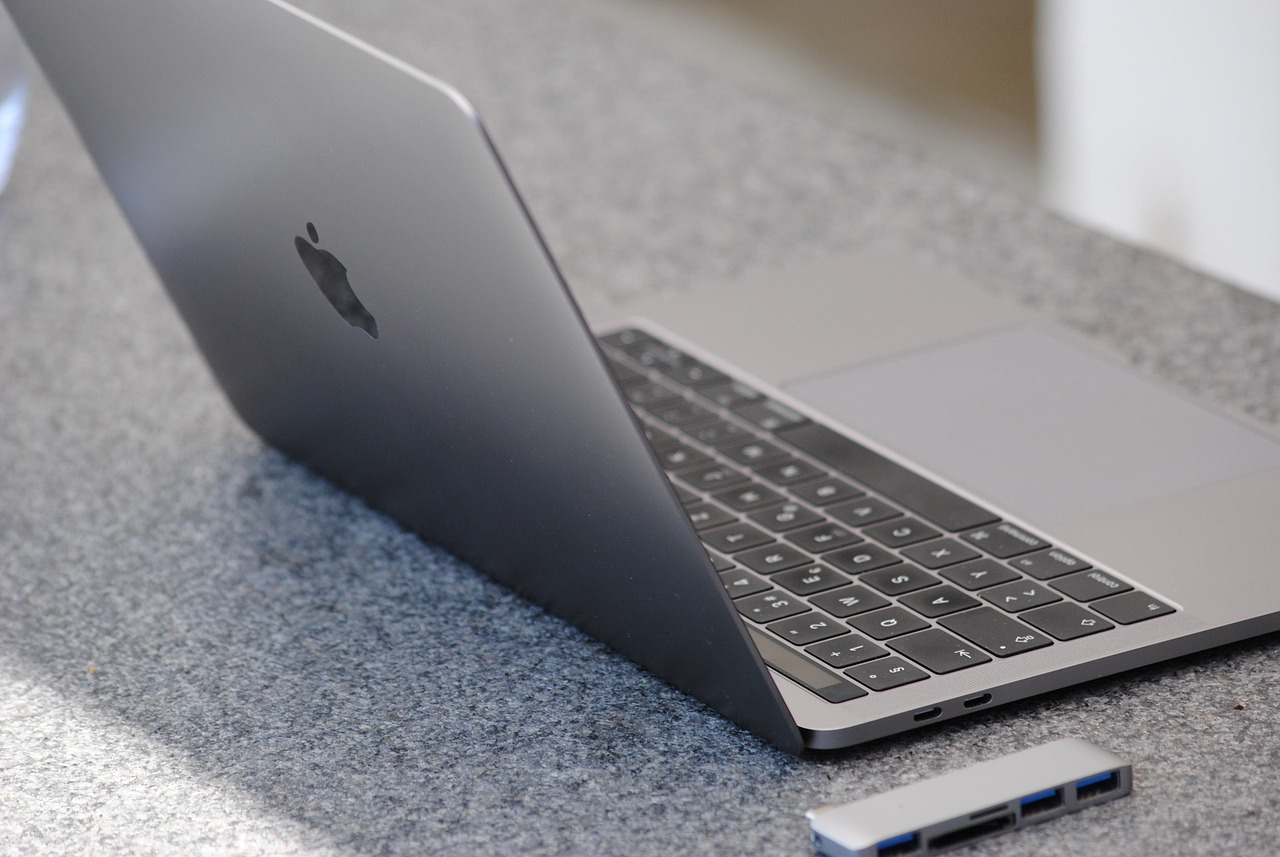
Apple’s current MacBook Pro family is divided by two sizes and three chip tiers. The 14-inch model is the most flexible path because it can be configured with M5, M5 Pro or M5 Max. The 16-inch model starts at M5 Pro and can also be configured with M5 Max. In practice, the first decision is not simply “14-inch or 16-inch.” It is a three-part choice: how much sustained performance you need, how portable the machine must be, and how many external displays or high-speed peripherals you plan to connect.
| Model path | Best fit | Key limits to notice |
|---|---|---|
| 14-inch MacBook Pro with M5 | General productivity, coding, school, office work, writing, web work, light photo and video editing | Thunderbolt 4 rather than Thunderbolt 5, lower memory ceiling, up to two external displays |
| 14-inch MacBook Pro with M5 Pro | Developers, photographers, musicians, analysts, creators and users who want strong performance in a portable size | Smaller screen and battery than the 16-inch model, not the highest memory or GPU tier |
| 16-inch MacBook Pro with M5 Pro | Users who want M5 Pro performance with a larger display, longer web-use battery rating and a desktop-like workspace | Heavier and less travel-friendly than the 14-inch version |
| 14-inch or 16-inch MacBook Pro with M5 Max | Video professionals, 3D artists, engineers, AI researchers and anyone who knows their apps scale with GPU and memory bandwidth | Higher cost, lower battery rating than comparable M5 Pro options, unnecessary for many everyday users |
The base M5 model is not a “budget laptop” in the usual sense. It still includes the Liquid Retina XDR display, ProMotion up to 120Hz, HDMI, SDXC card slot, MagSafe 3, a 12MP Center Stage camera, a six-speaker sound system and a three-mic array. The reason to move beyond it is specific capability: more CPU cores, more GPU capacity, more memory, Thunderbolt 5, Wi-Fi 7 or support for more external displays.
Choose the chip by workload
M5 is enough for more buyers than the name suggests
The 14-inch MacBook Pro with M5 has a 10-core CPU, 10-core GPU, Neural Accelerators, hardware-accelerated ray tracing, a 16-core Neural Engine and 153GB/s memory bandwidth. It can be configured with 16GB, 24GB or 32GB of unified memory and starts with 1TB of SSD storage. That specification is well matched to everyday professional tasks such as document work, browser-heavy research, spreadsheets, video calls, coding, web development, note taking, media management and occasional creative editing.
Pick M5 if your current computer feels slow mainly because it is old, not because your software routinely saturates CPU, GPU and memory. It is also the straightforward choice if you value battery life and lower cost more than maximum export speed. The M5 model is rated for up to 24 hours of video streaming and up to 16 hours of wireless web use, making it the endurance-focused 14-inch option in the lineup.
M5 Pro is the practical performance upgrade
M5 Pro is the chip tier most demanding buyers should evaluate first. In the 14-inch model, it starts with a 15-core CPU and 16-core GPU and can be configured higher. In the 16-inch model, M5 Pro is listed with an 18-core CPU and 20-core GPU. Apple lists 307GB/s memory bandwidth for M5 Pro, and configurations can reach higher memory levels than the M5 version.
The value of M5 Pro is broader than raw speed. It also unlocks a more capable platform around the chip. M5 Pro models use three Thunderbolt 5 ports rated up to 120Gb/s, support Wi-Fi 7 through Apple’s N1 wireless chip, and can drive up to three external displays through Thunderbolt and HDMI combinations. If you use a dock, fast external SSDs, multiple monitors, large RAW photo libraries, Xcode, Logic Pro, Final Cut Pro, DaVinci Resolve or data-heavy browser and local app sessions, M5 Pro is often the most balanced upgrade.
M5 Max is for workflows that can use it
M5 Max is powerful, but it should be bought for a defined workload. Apple lists M5 Max configurations with an 18-core CPU, either a 32-core or 40-core GPU, dual video encode engines, dual ProRes encode and decode engines, and memory bandwidth up to 614GB/s. It also supports the highest unified memory configurations in the MacBook Pro line, up to 128GB when configured appropriately.
Those specifications matter if your work involves multi-stream 4K or 8K video, large ProRes projects, complex 3D scenes, GPU rendering, scientific visualization, local AI models, heavy effects work or multiple high-resolution displays. They matter less if your day is dominated by email, office apps, browser tabs and occasional photo edits. M5 Max can be the right tool, but for many buyers the budget is better allocated to extra memory, storage, AppleCare, an external monitor or a high-quality dock.
14-inch vs 16-inch MacBook Pro
The 14-inch MacBook Pro is the better travel machine. Apple lists the 14-inch M5 version at 3.4 pounds, the 14-inch M5 Pro at 3.5 pounds and the 14-inch M5 Max at 3.6 pounds. It fits more easily into backpacks, works better on planes and trains, and is less tiring if you move between classrooms, offices, studios or client sites. It is also the only size that offers the standard M5 chip.
The 16-inch MacBook Pro is for users who want the machine to feel closer to a mobile desktop. Its 16.2-inch Liquid Retina XDR display has a 3456-by-2234 native resolution, compared with 3024-by-1964 on the 14.2-inch model. Both sizes use the same class of display technology: 1,000,000:1 contrast ratio, 1000 nits sustained full-screen HDR brightness, 1600 nits peak HDR brightness for HDR content, wide color, True Tone and ProMotion up to 120Hz. The difference is workspace, not display quality.
Battery ratings vary by size and chip. On the 14-inch model, Apple lists up to 24 hours of video streaming for M5, up to 22 hours for M5 Pro and up to 20 hours for M5 Max. On the 16-inch model, M5 Pro is rated up to 24 hours of video streaming and up to 17 hours of wireless web, while M5 Max is rated up to 22 hours of video streaming and up to 16 hours of wireless web. If you often work unplugged and want a larger screen, the 16-inch M5 Pro is especially attractive. If you commute daily, the 14-inch model is easier to carry and easier to use in tight spaces.
Memory and storage choices that age well
Unified memory is one of the most important configuration choices because it cannot be upgraded later. For light productivity, 16GB on the M5 model can be enough. For a MacBook Pro you plan to keep for years, 24GB is a safer baseline if you use many browser tabs, creative apps, virtual meetings, messaging tools and cloud storage clients at the same time. Choose 32GB on M5 if you want the longest runway without moving to M5 Pro.
For M5 Pro buyers, 24GB should be treated as the practical starting point, not the high-end choice. Developers, photographers, musicians and analysts should consider 48GB or 64GB if their projects are already memory-hungry. M5 Max buyers should think in terms of workload scale: 36GB or 48GB may suit many video and design users, while 64GB or 128GB is for genuinely large projects, local models, complex 3D work or professional pipelines where memory pressure costs time. See also: CONNECTIVITY.
Storage deserves the same attention. The current lineup starts higher than older MacBook Pro generations: the M5 and M5 Pro paths start at 1TB, while M5 Max starts at 2TB. Internal SSD storage is fast and convenient, but Apple’s storage upgrades can be expensive. If you work with active video projects, large photo catalogs or local datasets, buy enough internal storage for current projects and use Thunderbolt external SSDs or network storage for archives. A 1TB internal drive is comfortable for general work; 2TB is a better minimum for creators; 4TB or 8TB should be reserved for users who need large active files on the machine itself.
Ports, displays and wireless features can decide the right model
Do not ignore connectivity. Every current MacBook Pro includes HDMI, an SDXC card slot, MagSafe 3, a headphone jack and three USB-C style Thunderbolt ports, but not all Thunderbolt ports are equal. The 14-inch M5 model uses Thunderbolt 4, rated up to 40Gb/s. M5 Pro and M5 Max models use Thunderbolt 5, rated up to 120Gb/s. If you regularly transfer large media files, run high-speed external storage or use a demanding dock setup, Thunderbolt 5 is a meaningful reason to choose M5 Pro or M5 Max.
External display support is another clear divider. The M5 model supports up to two external displays. M5 Pro supports up to three. M5 Max supports up to four. This is one of the easiest ways to avoid buying the wrong machine. If you already use three monitors, or you plan to build a multi-display editing, trading, engineering or production setup, the base M5 model is not the right fit regardless of raw CPU performance.
Wireless also differs. Apple lists Wi-Fi 6E and Bluetooth 5.3 on the M5 model. M5 Pro and M5 Max models include the N1 wireless networking chip with Wi-Fi 7, Bluetooth 6 and Thread networking technology. That does not mean every buyer needs the higher chip tier. It does mean that users building a long-term workstation around newer routers, low-latency accessories and smart-home or studio networks may get more future-ready connectivity from M5 Pro or M5 Max.
A practical buying checklist
Use this short decision matrix before configuring a MacBook Pro. It is designed to limit overspending while still protecting long-term usefulness.
| If this describes you | Choose this path | Configuration note |
|---|---|---|
| You mostly write, research, study, browse, use office apps and join video calls | 14-inch M5 | Start at 16GB, consider 24GB if you keep computers for many years |
| You code, edit photos, run creative apps and want stronger multitasking | 14-inch M5 Pro | 24GB is workable; 48GB is safer for heavier projects |
| You want a large built-in display and long battery life without needing Max-level GPU power | 16-inch M5 Pro | Best for desk-first users who still need portability |
| You edit large video projects, use 3D tools, train or run local models, or need four external displays | M5 Max | Spend on memory before cosmetic upgrades |
| You are unsure whether you need M5 Max | M5 Pro | If your apps do not clearly scale with GPU and memory bandwidth, M5 Pro is usually the safer value |
Also check the non-performance details before ordering. Nano-texture glass can help in bright rooms, but some users prefer the standard glossy finish for contrast and clarity. The 16-inch model includes a 140W USB-C Power Adapter, while 14-inch configurations vary by chip and adapter. Fast charging requires the appropriate higher-wattage USB-C power source. Finally, confirm the return window, warranty coverage and any education or trade-in offers at checkout because promotions and prices change more often than the hardware itself.
Frequently asked questions
Is the 14-inch MacBook Pro with M5 enough for professional work?
Yes, for many professional users. It is well suited to writing, business work, web production, coding, light media editing and everyday creative tasks. It becomes less ideal when your workflow needs more than two external displays, Thunderbolt 5 bandwidth, very high unified memory or sustained GPU-heavy performance.
Should I buy M5 Pro or M5 Max?
Buy M5 Pro if you want a fast, balanced MacBook Pro for development, photography, music, multitasking, external displays and serious but not extreme creative work. Buy M5 Max if your software directly benefits from higher GPU capacity, higher memory bandwidth, more video engines, up to 128GB unified memory or support for four external displays.
Is the 16-inch MacBook Pro worth the extra size?
It is worth it if the laptop often sits on a desk and the larger display will replace an external monitor for part of your workday. It is less attractive if you travel daily, work in cramped spaces or care more about portability than screen area. The 16-inch model is powerful, but the 14-inch version is easier to carry.
How much unified memory should I choose?
For general use, 16GB can work, but 24GB is a better long-term choice on a MacBook Pro. For M5 Pro creative or development workloads, consider 48GB if your budget allows. For M5 Max, choose 64GB or 128GB only when your current projects already justify that much memory.
Should I wait for the next MacBook Pro?
If your current laptop is slowing down paid work, school or daily productivity, waiting is usually less useful than buying the configuration that fits your needs now. If your current machine is still comfortable and you are mainly curious about future chips, waiting may make sense. Base the decision on your workload, not rumors.