How a cable modem works with DOCSIS, speed tiers, and home networks
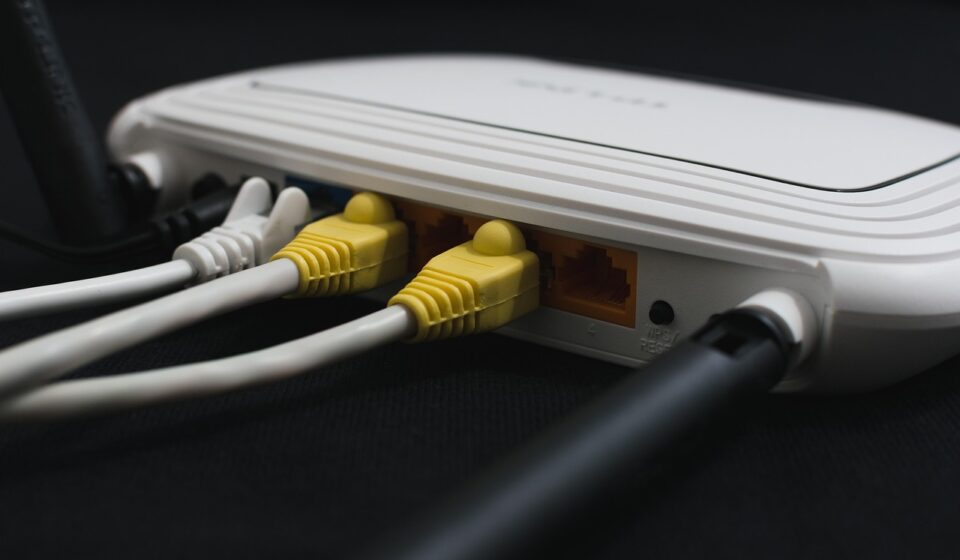
What a cable modem actually does
A cable modem connects a home or small office to a cable internet provider over the same coaxial network originally built for cable TV. It converts DOCSIS signals on the provider’s hybrid fiber-coax network into Ethernet data that a router, Wi-Fi system, or gateway can use. For most households, the best choice is not simply the model with the highest advertised speed. The modem must be approved by the provider, match the subscribed speed tier, support the right DOCSIS generation, and include an Ethernet port fast enough for the plan. A DOCSIS 3.1 modem remains the practical baseline for many gigabit-class cable plans, while DOCSIS 4.0 is the upgrade path for much higher upstream capacity where operators have deployed it.
That gives the cable modem a large role in a small box. It sits at the boundary between the operator network and the local network, and its limits can affect download speed, upload speed, latency behavior, voice support, and future upgrade options. For related coverage of networking hardware and broadband infrastructure, see the CONNECTIVITY section.
Cable modem, router, and gateway are not the same thing
The terms are often mixed together because many internet providers ship one device that handles several jobs. A standalone cable modem connects to coax on one side and usually provides Ethernet on the other. A router manages the local network, assigns private IP addresses, handles firewall functions, and shares the connection among wired and wireless devices. A Wi-Fi access point provides the wireless radio network.
A gateway combines the cable modem, router, and Wi-Fi access point in one enclosure. Some gateways also include voice ports for home phone service. The all-in-one design reduces setup complexity and gives the provider a single device to manage, but it can limit flexibility. A separate modem and router setup lets users upgrade Wi-Fi independently, place access points more carefully, and choose routing features such as VLANs, parental controls, VPN support, or mesh backhaul.
The distinction matters when troubleshooting. If a wired speed test directly from the modem meets the plan speed, the cable connection is probably working and the router or Wi-Fi layer needs attention. If speeds are poor even when connected by Ethernet to a properly provisioned modem, the issue may involve signal levels, coax wiring, provider provisioning, congestion, or a modem that is no longer suitable for the tier.
DOCSIS is the standard behind cable internet speed
DOCSIS, short for Data Over Cable Service Interface Specification, is the technical standard that allows internet data to run over cable broadband networks. CableLabs develops DOCSIS specifications with cable operators and technology vendors, and its public materials remain a primary reference for how each generation changes capacity and network behavior.
DOCSIS version numbers describe the modem-to-network technology, not a guaranteed retail speed. CableLabs notes that specification capacities and deployed performance are different things. A provider must support the required network upgrades, assign the correct service tier, and approve the device before a customer sees those speeds.
| DOCSIS generation | Main change | Specification-level capacity commonly cited by CableLabs | Practical meaning for users |
|---|---|---|---|
| DOCSIS 3.0 | Channel bonding and broad gigabit-era deployment | Up to about 1 Gbps downstream and 200 Mbps upstream | Can still serve lower and mid-tier plans where supported, but it is aging for new upgrades. |
| DOCSIS 3.1 | OFDM, OFDMA, wider channels, better efficiency, and improved latency tools | Up to 10 Gbps downstream and around 1-2 Gbps upstream in the specification context | A strong baseline for many current gigabit and multi-gig cable plans, depending on the modem and provider. |
| DOCSIS 4.0 | Full Duplex DOCSIS and Extended Spectrum DOCSIS options for more upstream capacity | Up to 10 Gbps downstream and 6 Gbps upstream in CableLabs descriptions | Important for symmetrical or near-symmetrical multi-gig cable service, but availability is highly operator- and address-specific. |
The table shows why a modem purchase should be tied to a real service plan rather than a headline specification. A DOCSIS 3.1 modem with only a 1 Gigabit Ethernet port can become a bottleneck on a plan that delivers more than about 940 Mbps of usable wired throughput. Conversely, a modem with a 2.5 Gigabit Ethernet port cannot create multi-gig service if the local cable plant and account provisioning do not support it.
Why upload speed is the biggest cable modem upgrade story
Cable internet has historically been asymmetric: downstream capacity was much higher than upstream capacity. That fit an era when households mostly consumed video, downloaded files, and browsed the web. Today, video conferencing, cloud backup, livestreaming, remote work, security cameras, online creation tools, and multiplayer gaming all put more pressure on upload performance.
That is why recent cable network upgrades focus on upstream spectrum as much as headline download speed. Mid-split and high-split upgrades expand the portion of spectrum used for upstream traffic. DOCSIS 4.0 goes further by supporting approaches designed for multi-gigabit upstream capacity over upgraded hybrid fiber-coax networks. CableLabs reported in its 2026 DOCSIS update that DOCSIS 3.1 remains a workhorse for many HFC networks, while DOCSIS 4.0 interoperability and deployment readiness are advancing through operator and vendor testing.
For buyers, the practical point is to look beyond download speed. Check the provider’s upload requirements for your address. Some enhanced-upload markets require specific approved customer-owned models. Others may require a provider-supplied gateway for the newest service tiers. A modem that looks powerful on a retail box may still be limited if it is not certified, provisioned, or approved for the provider’s upgraded upstream configuration.
How to choose a cable modem for a real plan
The safest selection process starts with the provider’s approved device list, not a generic product ranking. CableLabs certification indicates that a device has passed compliance and interoperability testing for relevant specifications, but individual cable operators still maintain their own approval processes. Spectrum’s public modem policy, for example, states that an authorized modem must pass CableLabs certification, FCC certification, and Charter’s own certification process. Xfinity and Cox also direct customers to provider-specific compatible device resources.
Use the following decision matrix before buying or replacing a modem:
| Situation | Modem class to consider | Why it matters | What to verify first |
|---|---|---|---|
| Basic to mid-tier cable internet | Provider-approved DOCSIS 3.0 or DOCSIS 3.1 | DOCSIS 3.0 may be enough for modest speeds, but DOCSIS 3.1 is better protected for near-term upgrades. | Whether the provider still supports the exact model and hardware revision. |
| Gigabit-class plan | Provider-approved DOCSIS 3.1 | DOCSIS 3.1 is commonly required or recommended for gigabit service. | Ethernet port speed, approved tier, and upload support. |
| Multi-gig download plan | DOCSIS 3.1 model with 2.5GbE or provider gateway | A 1GbE port can cap real wired throughput below the plan’s headline rate. | Router WAN speed, LAN switch speed, and client device capability. |
| Higher upload or symmetrical coax plan | Specific approved DOCSIS 3.1 high-split device or DOCSIS 4.0 equipment | Upstream performance depends on the provider’s upgraded plant and device support. | Address-level availability and whether customer-owned equipment is allowed. |
| Internet plus home phone | Voice-capable gateway or eMTA modem | Many standard retail cable modems do not include telephone ports. | Voice service compatibility before purchase. |
Also check whether the modem is new, returnable, and free of previous account issues. Used modems can be difficult to activate if the serial number or MAC address remains associated with another customer account. Activation requirements vary, but most providers need the modem’s identifying information and must push the correct configuration file before the device will operate on the selected plan.
Renting versus buying is a cost, control, and upgrade trade-off
Buying a cable modem can reduce recurring equipment charges when a provider allows customer-owned equipment. Renting can be more convenient when the provider includes upgrades, troubleshooting, replacement, and gateway features in the monthly service package. Neither option is automatically better. The right choice depends on the plan, the rental fee, how long the modem will be used, and how quickly the provider is changing its network.
The FCC’s Broadband Facts label rules, which took effect for larger providers on April 10, 2024 and for smaller providers on October 10, 2024, make this comparison easier in the United States. Fixed broadband labels are designed to show monthly charges, data allowances, typical download and upload speeds, typical latency, and optional modem or gateway lease fees where applicable. That does not remove the need to read provider policies, but it gives buyers a more standardized place to compare the monthly cost of renting against the one-time cost of purchasing approved equipment. See also: BUYING GUIDES.
A practical calculation is to multiply the monthly equipment charge by the number of months you expect to keep the same plan. Then compare that figure with the price of an approved modem that supports the tier. If the network is about to move to enhanced uploads or DOCSIS 4.0 in your area, renting may reduce the risk of buying hardware that becomes outdated quickly. If your plan is stable and the provider’s approved list includes several retail options, buying may make more sense.
Common bottlenecks that are not the modem
Replacing the modem is not always the cure for slow cable internet. A modern DOCSIS 3.1 modem can still test poorly if the rest of the path is limited. The most common non-modem bottleneck is Wi-Fi. Distance, wall materials, channel interference, outdated Wi-Fi clients, and overloaded mesh links can all reduce throughput well below the cable connection’s capability.
Wired networking can also hide limits. A plan above 1 Gbps needs a modem port, router WAN port, router LAN port, switch, cable, and client device that can all support more than gigabit speeds. If any link in that chain is 1GbE, real-world throughput will typically remain below the headline multi-gig tier.
Coax quality matters as well. Old splitters, loose connectors, damaged cable, poor grounding, and signal levels outside the acceptable range can cause reboots, packet loss, or reduced channel bonding. In apartment buildings and older houses, the modem may be capable but the in-home coax path may need cleanup. Network-side factors such as node congestion, maintenance work, and provisioning errors can also affect performance.
Latency deserves separate attention. DOCSIS 3.1 introduced tools such as active queue management, and CableLabs has also described Low Latency DOCSIS as a way to improve responsiveness for applications that do not build large queues. However, those benefits depend on operator support, modem support, router behavior, and the application path across the wider internet. A new modem can help only when the service and network are configured to use the relevant capabilities.
What to watch as DOCSIS 4.0 expands
DOCSIS 4.0 is not just a modem swap. It can involve outside plant upgrades, spectrum changes, distributed access architecture, new remote PHY devices, updated core platforms, and compatible customer equipment. CableLabs materials describe two major DOCSIS 4.0 paths: Full Duplex DOCSIS, which allows more efficient use of spectrum for upstream and downstream traffic, and Extended Spectrum DOCSIS, which expands usable spectrum up to higher frequencies on upgraded plant.
Comcast announced a DOCSIS 4.0 deployment in Colorado Springs in 2023 with symmetrical X-Class speed tiers, showing that DOCSIS 4.0 can move from lab work into commercial service. CableLabs’ 2025 and 2026 updates also point to continuing interoperability work, vendor demonstrations, and device milestones. Still, DOCSIS 4.0 availability remains local. It depends on the operator, the neighborhood plant, the plan offered at a specific address, and the approved equipment available for that service.
For most readers, the right 2026 posture is measured rather than speculative: buy a solid approved DOCSIS 3.1 modem if it fits your current plan and payback period, but do not overpay for future claims that your provider has not confirmed. If your address already qualifies for a DOCSIS 4.0 or symmetrical coax tier, follow the provider’s equipment guidance closely. In early deployment phases, the newest service may be tied to operator-supplied hardware rather than open retail choice.
Frequently asked questions
Is a cable modem the same as a router?
No. A cable modem connects the provider’s coax network to your internet service. A router shares that connection across your home network and usually manages firewall and Wi-Fi functions. A gateway combines modem, router, and Wi-Fi in one device.
Do I need a DOCSIS 3.1 modem for gigabit internet?
In many cable networks, yes. DOCSIS 3.1 is the common requirement or recommendation for gigabit-class service because it is more efficient and supports higher capacity than DOCSIS 3.0. Always verify the exact model on your provider’s approved list for your address and speed tier.
Should I wait for a DOCSIS 4.0 cable modem?
Wait only if your provider has announced DOCSIS 4.0 service for your address or if a near-term upgrade is confirmed. Otherwise, an approved DOCSIS 3.1 modem may be the more practical choice for current gigabit and multi-gig download plans.
Can any CableLabs certified modem work with any cable provider?
No. CableLabs certification is important, but providers can require their own testing, firmware support, provisioning, and approved device lists. A modem can meet a DOCSIS standard and still be unsupported on a specific network or tier.
Why is my speed test lower than my cable plan?
Possible causes include Wi-Fi limits, a 1GbE port bottleneck, router performance, device limitations, poor coax signal, splitters, neighborhood congestion, or incorrect provisioning. Test with a wired connection and confirm that every link between the modem and device supports the target speed.