TV buying guide for 2026 and how to choose the right screen for your room

Start with the room, not the spec sheet
A useful TV buying guide starts with where the screen will be used. In 2026, shoppers are choosing among mature 4K TVs, improved OLED panels, brighter Mini LED LCD models, and more gaming-ready features. The right choice is not the model with the longest feature list. It is the TV that fits the room brightness, seating distance, viewing habits, ports, software, and total cost.
A bright family room, a dark movie room, a console gaming setup, and a bedroom streaming screen do not need the same television. A 65-inch OLED can look exceptional in a controlled room, while a 75-inch Mini LED TV may be the more practical everyday option in a sunny space. A basic 4K set may be enough for news, sitcoms, and casual streaming, but it can feel limiting for console gaming if it lacks 120Hz support, variable refresh rate, or enough full-bandwidth HDMI ports.
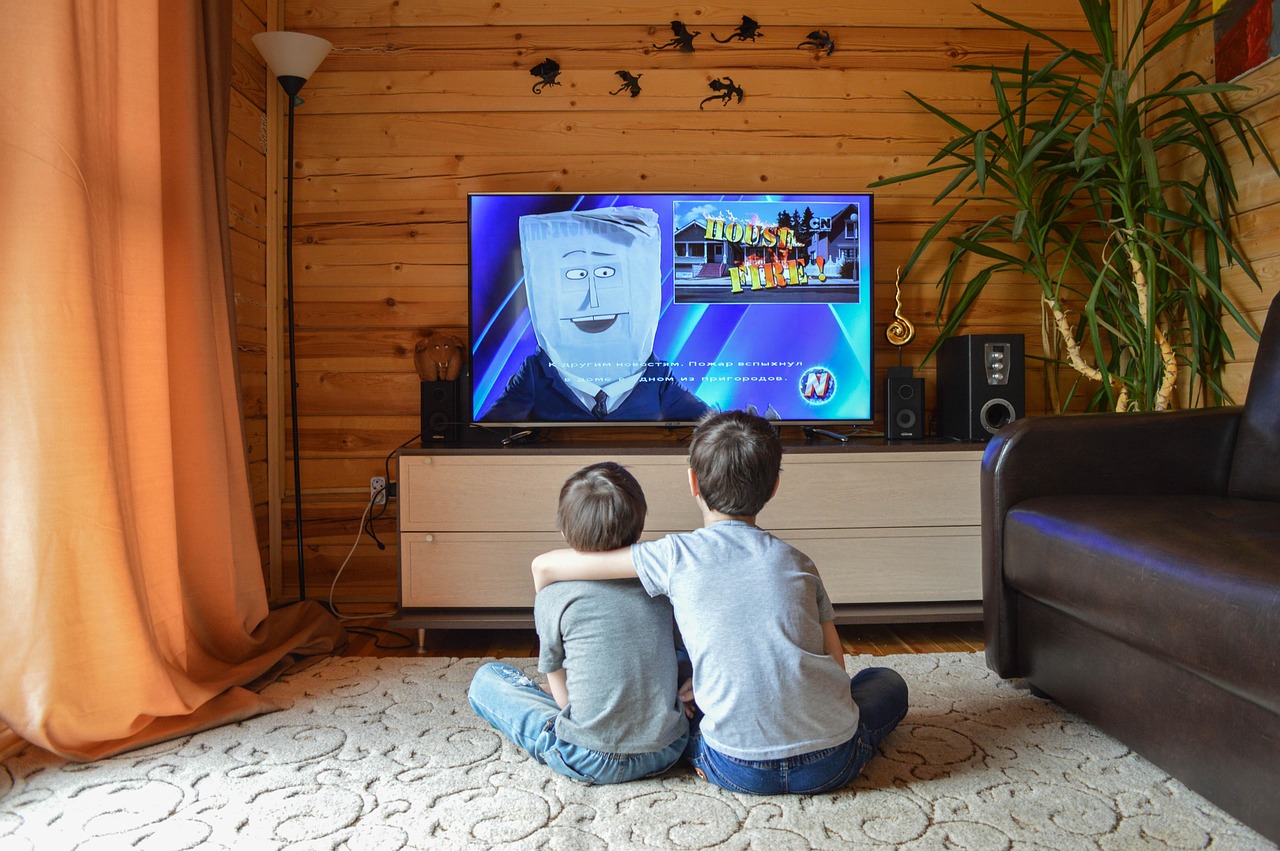
If you want broader smart hardware shopping frameworks, the BUYING GUIDES section can help you compare connected devices by use case rather than marketing terms.
Choose a screen size that fits distance and use
Screen size should be the first practical filter. With modern 4K resolution, many rooms can support a larger display than older 1080p buying habits suggested, because pixels are less visible at normal seating distances. That does not mean bigger is always better. Very large TVs can dominate small rooms, make low-quality video sources look worse, and require stronger wall mounts or wider furniture.
For mixed living-room viewing, a 55-inch TV still works in smaller apartments or bedrooms, but 65 inches has become a common middle ground for main rooms. Larger 75-inch, 77-inch, 83-inch, and 85-inch sizes are increasingly attractive for movies and sports because they create a more immersive field of view. Before buying, measure the seating distance and the physical space, including stand width, wall clearance, cable access, and soundbar placement.
| Typical seating distance | Practical screen range | Best fit |
|---|---|---|
| 5 to 7 feet | 43 to 55 inches | Bedroom, office, small apartment |
| 7 to 9 feet | 55 to 65 inches | General living-room streaming and TV |
| 8.5 to 11 feet | 65 to 77 inches | Movies, sports, family rooms |
| 10 to 13 feet | 75 to 85 inches | Large living rooms and home theater spaces |
These ranges are guidelines, not fixed rules. If you mostly watch cinematic 4K content, you may prefer the larger end. If you watch a lot of cable channels, older shows, or compressed live streams, a slightly smaller screen can hide artifacts better. Also consider where people sit. A wide seating area can make viewing angle more important than maximum brightness.
Match panel technology to lighting and content
TV marketing often presents OLED, QLED, Mini LED, and premium LCD terms as a simple ranking. In practice, they are trade-offs. Testing-focused publications such as Consumer Reports and RTINGS have repeatedly framed OLED versus Mini LED as a room and use-case decision rather than a single winner. Counterpoint Research market data also shows that OLED TV shipments continued to grow globally in the second quarter of 2026, even while overall TV shipments were flat, suggesting that premium display technology remains a competitive part of the market. That trend does not make OLED the right answer for every room.
OLED and QD-OLED
OLED TVs control light at the pixel level, so they can produce very deep blacks, strong contrast, and excellent dark-room performance. They are especially compelling for movies, premium streaming series, and viewers who sit off-axis. QD-OLED and advanced WOLED designs have improved brightness and color volume compared with earlier OLED generations, but brightness still varies by model, screen size, and picture mode.
The main limitations are price, sustained full-screen brightness, and image retention risk in unusual but possible use cases. If the TV will show static news tickers, sports scoreboards, dashboards, or game HUDs for many hours every day, read warranty terms and owner guidance carefully. For most varied household viewing, modern OLED risk is manageable, but it should not be ignored.
Mini LED LCD
Mini LED TVs are still LCD TVs, but they use many smaller backlight zones to improve contrast and brightness. A good Mini LED model can be a strong fit for bright rooms, sports, HDR highlights, and large screen sizes where OLED prices climb sharply. The trade-off is that local dimming is not perfect. Bright objects on dark backgrounds may show blooming, subtitles can glow, and off-angle viewing may vary depending on the panel type.
If you watch during the day or have windows opposite the TV, prioritize real brightness, reflection handling, and local dimming quality over the number of dimming zones alone. Zone count matters, but processing quality and panel design matter too.
QLED and standard LED LCD
QLED usually means an LCD TV enhanced with quantum dots for wider color. It is not the same as OLED and does not imply pixel-level light control. Some QLED TVs are basic edge-lit models; others combine quantum dots with Mini LED backlights and more advanced local dimming. Read the full specification instead of assuming the label tells the whole story.
Standard LED LCD TVs can still make sense for budget rooms, kids rooms, casual streaming, and smaller sizes. The compromises usually appear in black levels, HDR impact, viewing angles, and motion handling. If the price is low enough and expectations are realistic, those trade-offs may be acceptable.
Check HDR, refresh rate, and HDMI before you buy
Most TVs now advertise 4K and HDR, but implementation quality varies widely. HDR is not just a format logo; it depends on brightness, contrast, color volume, and tone mapping. A television that technically accepts HDR10 may still look flat if the panel cannot get bright enough or control dark scenes well. Dolby Vision, HDR10 Plus, and filmmaker-style modes can be useful, but panel performance remains the foundation.
Refresh rate is another area where marketing language can confuse shoppers. A true 120Hz panel is valuable for gaming, sports motion, and some film playback modes. Manufacturer motion enhancement numbers are not the same as native refresh rate. If gaming matters, look for clear support for 4K at 120Hz, variable refresh rate, auto low latency mode, and low input lag.
The HDMI Licensing Administrator lists newer HDMI specifications such as HDMI 2.2 in 2026, while many TVs on shelves still use HDMI 2.1 feature language. For shoppers, the important point is not the version number by itself. Confirm the actual capabilities on each port.
| Feature | Why it matters | What to verify |
|---|---|---|
| 4K resolution | Standard for modern TV buying | Nearly universal, but source quality still matters |
| HDR support | Improves contrast and highlight detail when done well | Panel brightness, local dimming, Dolby Vision or HDR10 Plus support |
| 120Hz panel | Useful for gaming and smoother motion | Native refresh rate, not marketing motion rate |
| HDMI 2.1-class features | Needed for advanced gaming setups | 4K120, VRR, ALLM, eARC, and number of capable ports |
| eARC | Sends higher-quality audio to a soundbar or receiver | Which HDMI port supports it and whether it shares a gaming port |
Port count is easy to overlook. A household with a game console, streaming box, soundbar, Blu-ray player, and cable box can run out of inputs quickly. If only two HDMI ports support the highest bandwidth and one is also used for eARC audio, your real flexibility may be limited.
Do not treat the smart platform as an afterthought
The smart TV interface affects daily use more than many buyers expect. Roku TV, Google TV, Fire TV, Samsung Tizen, and LG webOS all support major streaming apps, but they differ in layout, voice assistant support, ad load, privacy settings, app discovery, and update history. If possible, try the remote and menus in person. A slightly better panel can feel less enjoyable if the interface is slow or cluttered. See also: CONNECTIVITY.
Also decide whether you will rely on the built-in platform or use an external streaming device. External streamers can extend the life of a TV when apps become slow or unsupported. In that case, panel quality and ports may matter more than built-in software. If you want the cleanest single-remote setup, then the operating system, app support, and Bluetooth audio options become more important.
For over-the-air viewers in the United States, tuner support deserves separate attention. ATSC 3.0, branded as NEXTGEN TV, is described by the FCC and ATSC as a voluntary, market-driven transition, and it is not backward compatible with older ATSC 1.0 equipment. Some new TVs include ATSC 3.0 tuners, while many affordable models do not. Availability also depends on local broadcasters, so an ATSC 3.0 tuner should be treated as a useful feature for antenna households, not a universal requirement for every buyer.
Factor in energy use, audio, and ownership cost
The shelf price is only one part of the total cost. Larger and brighter TVs generally use more power, especially in vivid modes. ENERGY STAR maintains a certified television product finder and current TV efficiency specifications, and it advises shoppers to consider power-saving settings along with certification. In practice, compare estimated annual energy use on the yellow EnergyGuide label and avoid running the TV in store-demo picture modes at home.
Audio is another cost that is easy to miss. Thin TV designs leave little room for speakers, so even expensive sets may benefit from a soundbar or AV receiver. If dialogue clarity matters, check whether the TV has eARC, optical audio output, Bluetooth headphone support, and enough clearance for a soundbar below the screen. Some pedestal stands sit low, which can block the bottom of the display when a soundbar is placed in front.
Installation can also affect the budget. Very large TVs may require two-person delivery, stronger mounts, cable management, a wider console, or professional wall installation. Before choosing an 85-inch model over a 75-inch model, confirm elevator access, stair turns, wall structure, and return logistics. A TV that is difficult to exchange can turn a small specification mistake into an expensive inconvenience.
A practical buying checklist for different viewers
Instead of asking which TV is universally best, match the specification priorities to the household. That makes the buying decision easier to narrow down.
| Viewer type | Prioritize | Be careful with |
|---|---|---|
| Movie-focused viewer | Contrast, black levels, accurate picture modes, HDR quality | Very bright room glare and weak local dimming |
| Sports household | Brightness, motion handling, screen size, viewing angle | Overly aggressive motion smoothing and narrow seating angles |
| Console or PC gamer | 4K120, VRR, ALLM, low input lag, enough HDMI bandwidth | Assuming every HDMI port has the same capability |
| Bright living room | High brightness, reflection handling, Mini LED or strong LCD performance | Glossy screens facing windows |
| Bedroom or casual streamer | Simple interface, reliable Wi-Fi, sensible size, good remote | Paying for gaming features you will not use |
| Antenna viewer | Tuner support, local channel reception, ATSC 3.0 if relevant | Buying for NEXTGEN TV without checking local availability |
When comparing two similar TVs, look beyond the headline discount. A reduced premium model from the previous year may offer stronger dimming, better build quality, or more HDMI capability than a newer entry-level model. Conversely, a new midrange TV may improve brightness or software support enough to be the smarter purchase. Model year matters, but tier and actual tested performance matter more.
Read the return policy before purchase, especially for large screens. Panel uniformity, reflections, and motion preferences are easier to judge in your own room than under store lighting. Keep the packaging until you confirm that the screen, ports, Wi-Fi, audio connection, and remote all work as expected.
Frequently asked questions
Is OLED or Mini LED better for most people?
Neither is automatically better. OLED is excellent for contrast, dark-room movies, and wide viewing angles. Mini LED is often more practical for bright rooms, very large sizes, sports, and households worried about static images. The right choice depends on room light, content, budget, and screen size.
Is 8K worth buying in 2026?
For most shoppers, 4K remains the practical choice. Native 8K content is still limited, and a better-quality 4K TV usually delivers more visible value than a lower-tier 8K model. Consider 8K only if you are buying a very large premium screen, sit close enough to benefit, and accept the price difference.
How many HDMI ports do I need?
Most households should look for at least four HDMI inputs, but capability matters more than count. Gamers and home theater users should confirm how many ports support 4K120, VRR, and eARC. If one high-bandwidth port is used for a soundbar, the remaining gaming flexibility may be reduced.
Do I need an ATSC 3.0 tuner?
You need it only if over-the-air broadcast TV is important to you and NEXTGEN TV service is useful in your local market. Streaming-only households can usually ignore it. Antenna users should check local availability and remember that ATSC 3.0 deployment remains voluntary and market dependent in the United States.
When is a cheaper TV good enough?
A cheaper 4K TV can be good enough for bedrooms, casual streaming, news, and kids rooms. Spend more when you care about HDR impact, dark-room movie quality, sports motion, large screen sizes, gaming features, or long-term software responsiveness.
Bottom line
The smartest TV purchase in 2026 is the one that fits the room and the source devices. Start with size and viewing distance, then choose OLED, Mini LED, or standard LCD based on lighting and content. Verify native refresh rate, HDR performance, HDMI capabilities, tuner needs, audio connections, energy use, and return policy before committing. A TV with fewer buzzwords but the right strengths for your room will usually be more satisfying than a more expensive model chosen only for its label.